1
FlowTraq User Interface
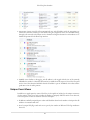
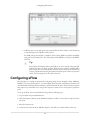
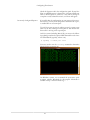
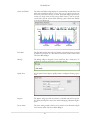
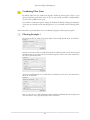
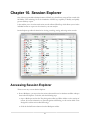
2. A ranking view selecting how traffic is to be ranked. Examples of rankings include top addresses by
packet count, top exporters by update count, application by total connections, etc.
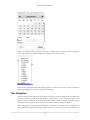
3. A timeframe selecting from when to when traffic is to be ranked. Timeframes can be specified in the
absolute (date and time), or relative to now (last 3 hours).
Filtering
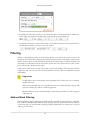
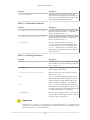
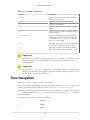
Thanks to the full fidelity nature of the FlowTraq database every field of the session record can be
filtered on. This includes derived fields such as country and autonomous system number, which are not
found in the flow export records, and added by FlowTraq. Since FlowTraq re-assembles uni-directional
flows back into bi-directional sessions, many filter options have both a client and a server side, such as
ports, traffic groups, and byte/packet counts.
A filter selects which session records will be used to perform the ranking. This means that the filter
is applied to each session record in the selected timeframe to decide if the record should be returned
and included.
Important
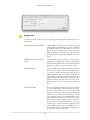
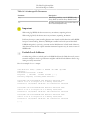
Complex filters can be constructed by entering multiple values in a filter line, or by combining
multiple filter lines:
When entering multiple values in a single filter line they are combined through a logical 'OR'
operation, meaning they will use a match any approach.
Multiple filter lines can be combined through a match all (logical 'AND') or match any (logical
'OR') approach.
Address Block Filtering
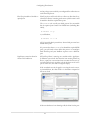
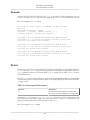
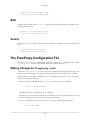
FlowTraq filtering supports definitions of CIDR (classless interdomain routing) blocks in both IPv4
(32-bit addresses) and IPv6 (128-bit addresses). By using the 'slash-size' subnet mask notation, addresses
in the entire range are matched. When specifying multiple CIDR blocks, the comma acts as a logical
'OR' in a positive match:
24