1
Programming and Parameters
3-31
Advanced Program Group (continued)
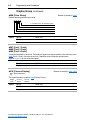
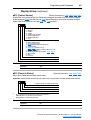
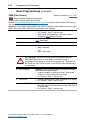
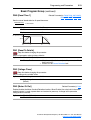
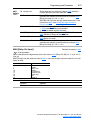
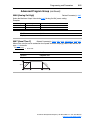
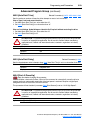
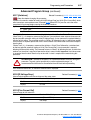
A100 [Fault Clear]
Stop drive before changing this parameter.
Resets a fault and clears the fault queue. Used primarily to clear a fault over network
communications.
Options 0 “Ready/Idle” (Default)
1 “Reset Fault”
2 “Clear Buffer”
(Parameters d007-d009 [Fault x Code])
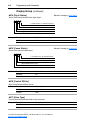
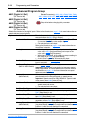
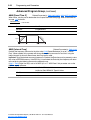
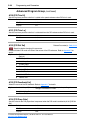
A101 [Program Lock]
Protects parameters against change by unauthorized personnel.
Options 0 “Unlocked” (Default)
1 “Locked”
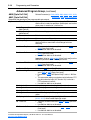
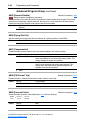
A102 [Testpoint Sel]
Related Parameter(s): d019
Used by Rockwell Automation field service personnel.
Values
Default:
400
Min/Max:
0/FFFF
Display:
1 Hex
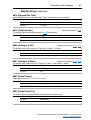
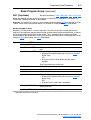
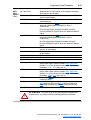
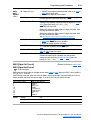
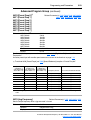
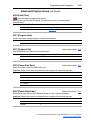
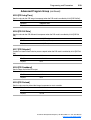
A103 [Comm Data Rate]
Related Parameter(s): d015
Sets the serial port rate for the RS485 (DSI) port.
Important: Power to drive must be cycled before any changes will affect drive operation.
Options 0 “1200”
1 “2400”
2 “4800”
3 “9600” (Default)
4 “19.2K”
5 “38.4K”
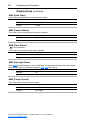
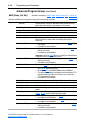
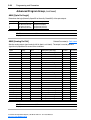
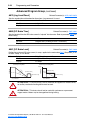
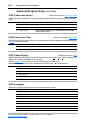
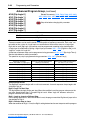
A104 [Comm Node Addr]
Related Parameter(s): d015
Sets the drive node address for the RS485 (DSI) port if using a network connection.
Important: Power to drive must be cycled before any changes will affect drive operation.
Values
Default:
100
Min/Max:
1/247
Display:
1
PowerFlex 40 Adjustable Frequency AC Drive FRN 1.xx - 6.xx User Manual
Publication 22B-UM001G-EN-E