1
Horizon NavMate 5
Using the Trail Book
The “Trail Book” option allows adding, editing and Setup display for trail book
entries. The “Trail Book” allows you to track off-road navigation in areas where
the digital map coverage is not sufficient or missing. A trail represents a path
taken by a vehicle while the trail is being recorded. Each trail is shown on the
map as a series of dots that can be color-coded for each trail.
You can also assign names, called waypoints, to some of the dots on the trail.
These waypoints will be shown on the map. All other dots representing the trail
are recorded automatically by the NavMate application. Once the trail is
recorded and saved, you can choose the named waypoints as future
destinations.
Add a New Trail
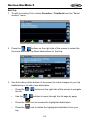
1. To access the Trail Book function, press the Trail Book button on the
“Favorites” menu.
If no trails exist, the system will display “There are no trails. Add?”. Press
the green check mark button to go directly to the “Name Trail Book Entry”
screen and continue with Step 4. If trails exist, continue to step 2.
103