1
CHANGING THE DRIVER DEFAULTS
Windows XP/2000
1.
Click Start > Settings > Printers and Faxes to open the Printers and Faxes
window.
2.
In the Printers and Faxes window, right-click on the appropriate printer driver icon,
and choose Printing Preferences from the context menu.
Windows Vista
1.
Click Start > Control Panel > Printers to open the Printers and Faxes window.
2.
In the Printers and Faxes window, right-click on the appropriate printer driver icon,
and choose Printing Preferences from the context menu.
Windows 7
1.
Click Start > Devices and Printers to open the Devices and Printers window.
2.
In the Devices and Printers window, right-click on the appropriate printer driver icon,
and choose Printing Preferences from the context menu.
CHANGING THE APPLICATION’S DRIVER SETTINGS
Windows
1.
In your application, open the file you want to print.
2.
On the File menu, choose Print….
3.
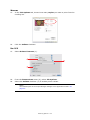
In the application’s Print dialogue, make sure the printer shown is the appropriate
one, and click Properties.
Mac
1.
In your application, open the file you want to print.
2.
On the File menu, choose Print….
3.
In the application’s Print dialogue, make sure the printer shown is the appropriate
one, and click Printer:.
How to access the driver screens > 21