1
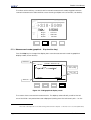
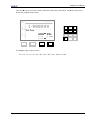
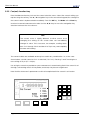
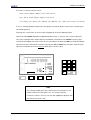
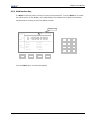
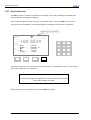
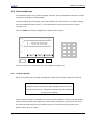
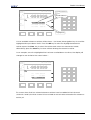
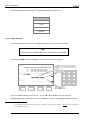
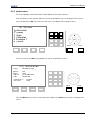
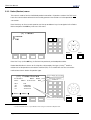
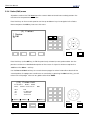
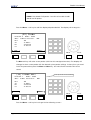
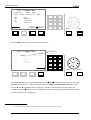
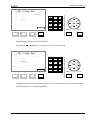
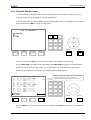
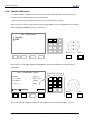
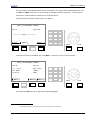
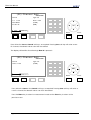
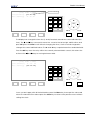
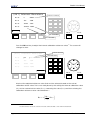
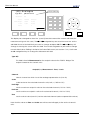
F600DC User Manual (43) Set Time Time (hh:mm:ss) [17 : 43 : 40] D a t e ( d d / m m / yy) 24 / 03 / 07 Current edit field 1 2 3 4 5 6 7 8 9 0 . - OK Clear Menu The display has changed to show the ‘[‘ and ‘]’ brackets around the current edit field (the time). The and keys are used to move the cursor to the left or right; edit the time and press OK (press the Clear to exit without changing the time). Use the numeric keypad to change the current edit field values. The and keys swap between time and date fields. Press the OK key once the entry within the currently selected field is correct; this returns the action of the and keys to moving between fields. (43) Set Time Time (hh/mm/ss) ) D a t e ( d d / m m / yy) 17 : 43 : 40 [24 / 03 / 07] 1 2 3 4 5 6 7 8 9 0 . - OK Menu Clear Once you are happy with all the field-entries, press the Menu key to accept the value and return to measurement mode or press the Clear key to return to the previous menu without setting the clock. Page 59 ASL 2007 F600DC-14-001.2