1
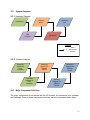
4.3 System Diagrams
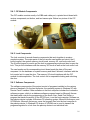
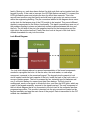
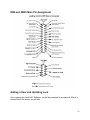
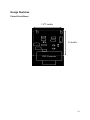
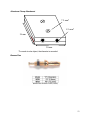
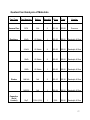
External Lock Makeup
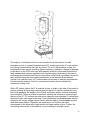
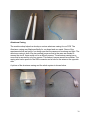
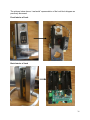
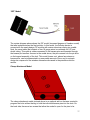
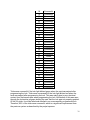
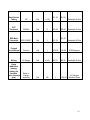
The diagram above shows the external components of the Ingersoll Rand locks. The
card swipe is the main component used for gaining access to rooms in Featheringhill
and Jacobs Hall. We used this component of the lock to verify whether the CIP module
successfully updated credentials to the lock interface and Locklink software. The LED
lights indicate whether card access, iButton access, or keypad code entry was granted
or denied. They also blink and turn different colors depending on the programming
stage on the lock that is being utilized. The iButton slot enables a device referred to as
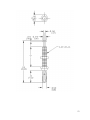
an iButton to transfer stored information into the lock’s memory. The iButton is a 16
millimeter computer chip encased in a water tight stainless steel container smaller than
a dime. The container is attached to a plastic keyfob designed to fit on a keychain. Each
iButton has a unique ID number which is detected by the lock when the user taps his or
her iButton to it. The iButton is unaffected by magnetic fields, metal detectors, water and
most chemicals. To store information, the iButton is connected into a receptor and
software transfers the lock access data to the iButton. The iButton is then unsnapped
from its receptor and can be touched to each lock. The iButton setup information is
transferred to the lock’s memory. This device is seldom used in the engineering
building. Next, the keylock is the traditional way of opening locks and requires a key for
entry into the room. A master key is provided to the facilities manager and there are
individual keys for each door, however, these are not distributed for use by students or
34