1
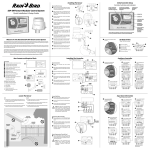
Set Units
Allows you to assign the Time Format
and the Unit Format displayed on the
ESP-SMT screen.
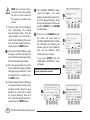
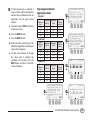
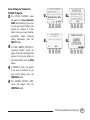
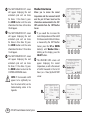
The SET UNITS FORMAT screen
P
If you would like to change the time
N
format or the unit format from that
currently shown on the display:
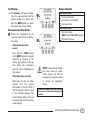
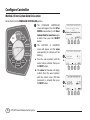
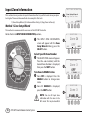
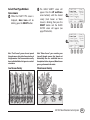
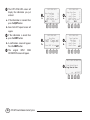
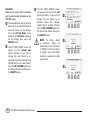
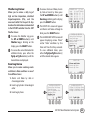
Press the UP and Down arrow
button(s) until Set Units is blinking
on the display; then press the
SELECT button.
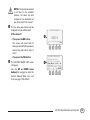
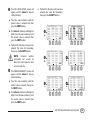
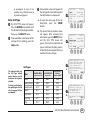
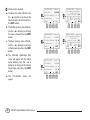
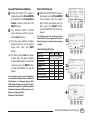
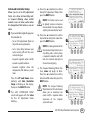
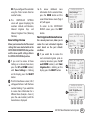
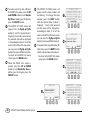
The SET TIME FORMAT screen will
O
!!
appear and the current time
format will blink. If you wish to
change the time format to an
alternate choice (For Example: from
AM/PM format to 24 Hour format):
Press the UP or DOWN button(s) to
the desired time format; then press
the SELECT button.
39
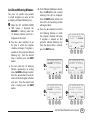
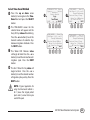
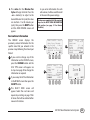
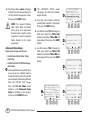
will appear and the current unit
format will blink. If you wish to
change the unit format to an
alternate choice (For Example:
English format to Metric format):
Press the UP or DOWN button(s) to
the desired time format; then press
the SELECT button.
ESP-SMT Smart Modular Control System
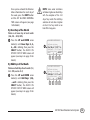
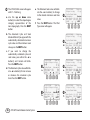
NOTE: The factory default
or Automatic setting will
automatically set the time format
to “AM/PM” and the Unit format
to “English” when the ESP-SMT
controller is connected to a 60Hz
power source.
N
SPECIAL FEATURES
Event Days Off
Block One Day A Week
Wiring Test
Adv. Controller Setup
Advanced Zone Setup
Set Units
SELECT
SET TIME FORMAT
O
Automatic
AM/PM
24-Hour
BACK
SELECT
SET UNITS FORMAT
P
Automatic
English
Metric
BACK
SELECT