1
Blackrock Microsystems
2
CereStim M96 - User Manual
Hardware
The CereStim M96 is a constant-current neurostimulator that is capable of delivering up to 3 simultaneous
current waveforms to 96 electrodes. The number of simultaneous current waveforms can be upgraded to
16.
2.1
CereStim M96 Front Panel
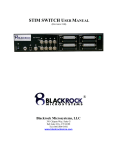
The CereStim M96 Front Panel interfaces the PC with the CereStim M96 hardware. CereStim M96
configuration is accomplished using the Stim Manager program described in Section 3.
2
7
6
8
4
1
3
5
Figure 2-2: CereStim M96 Front Panel
Power Supply Connector (1): The CereStim M96 is powered by a medical grade power supply that is
included as part of the CereStim M96 packaging. The green LED labelled “Power” will light up when the
external power supply is connected to the unit. WARNING: Do not use a third party power supply with
CereStim M96.
On/Off Switch (2): Use the on/off switch to turn on the CereStim M96. The green LED labelled “On” will
illuminate when the unit is turned on.
LED Indicators (3): The green LEDs labelled “On” and “Power” illuminate when the CereStim M96 unit is
turned on and powered through the external power supply. The ‘Status’ LED illuminates during activity on
the USB port to indicate communication between the CereStim M96 and PC.
USB Port (4): The CereStim M96 is programmed through commands sent via a USB A-B cable connected
between the USB port on the CereStim M96 and a USB port on the PC. The ‘Status’ LED illuminates during
activity on the USB port.
RS-232 Port (5): This feature has not been implemented in the current version of the CereStim M96. The
RS-232 port is intended to provide hardware-hardware communication in future firmware updates of the
device.
Rev. DRAFT 1.00
LB-0495
®
Page 2