1
Using
Using
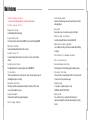
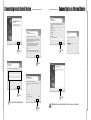
Quick Format Setting
Low Format Setting
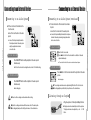
This function is used to erase the recorded files quickly.
In case of erasing the recorded file by using this function, the recorded file is erased
completely and it’s not possible to recover.
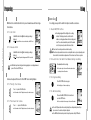
1⃞ Press MENU button over five seconds at STOP mode.
● Please make sure that file recovery is not available in case of using this function.
2⃞ Press Menu(M) button again shortly.
● FA-For appears on the display.
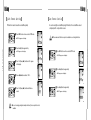
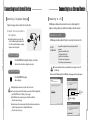
1⃞ Press MENU button over five seconds at STOP mode.
● FRCV:No appears on the display.
2⃞ Press Menu(M) button again shortly.
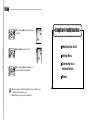
4⃞ Press ◀◀/ ▶▶ button and Select‘YES’.
5⃞ Press‘Play/Pause(▶■)’button and all files are
erased.
● In case of erasing by using Reset mode(Low Format), the recovery function is not
available.
●FA-For appears on the display.
3⃞ Press Menu(M) button again shortly.
●RESET appears on the display.
18
17
3⃞ Press‘Play/Pause(▶■)’button and‘No’appears
on the display.
Voice Recorder
Voice Recorder
●FRCV:No appears on the display.