1
3.4.1
Input Parameters
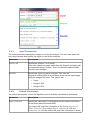
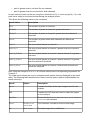
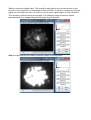
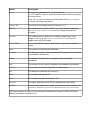
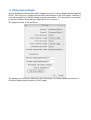
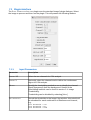
The input parameters specify the images to use for the analysis. The user can select the
two input channels and specify the region to use for the analysis.
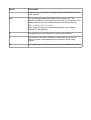
Parameter
Description
CHANNEL 1/2
Specify the channel 1 or 2 image.
If the user selects an image stack then the channel and frame will
be requested during run-time. This is to eliminate optional fields
from the main dialogue
USE ROI
3.4.2
Specify the region to use for analysis. This uses an
Region-of-Interest (ROI) that has been drawn on the input image
using the ImageJ ROI tools. The options are:
•
None
•
Image 1 ROI
•
Image 2 ROI
Search Parameters
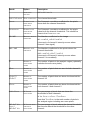
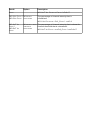
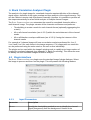
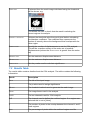
The search parameters control the algorithm used to find the colocalisation thresholds.
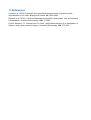
Parameter
Description
SEARCH TOLERANCE
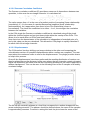
Specify the tolerance for convergence on the desired correlation
for the pixels below the thresholds.
The search will stop if the correlation is the CORRELATION LIMIT +/SEARCH TOLERANCE. E.g. using a SEARCH TOLERANCE of 0.05 and
CORRELATION LIMIT of 0 the search will stop if the correlation in within