1
Getting to Know
Your Security
System
This security system is designed to protect you, your family, and property whether you are on the
premises or away.
This manual describes how to operate your system. It describes basic arming and disarming commands as well as programming instructions for system features.
The dealer or installer may have already discussed with you many details concerning your system. Specific setup information is included in “Appendix B: User Reference” on page 18.
Overview
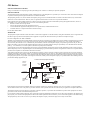
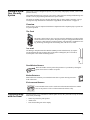
Your security system is comprised of different components. Each component plays a special role
in system operation:
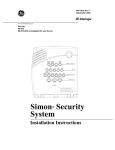
The Panel
The panel is at the heart of your system. It stores the intelligence to monitor all the
sensors and devices in the system. The panel is the piece of equipment that initiates
a call to the central station in an alarm situation. The panel has a touchpad for arming, disarming, checking status and entering data, such as access codes.
The DTIM
The Dialog™ Telephone Interface Module (DTIM) provides added security by separating the telephone interface from the panel. If the panel is damaged by fire or a break-in,
it still reports to the central monitoring station.
Door/Window Sensors
Door and window sensors protect the perimeter of your home by alerting the
panel when a door or window is opened.
Motion Detectors
Motion detectors in hallways or individual rooms detect a person moving across the
field of detection.
Environmental Sensors
Environmental sensors such as smoke and carbon monoxide detectors remain
alert for the presence of fire or carbon monoxide 24 hours a day.
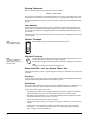
Communicating
with the Panel
Touchpads allow you to communicate with the panel. In turn, the system can be set up to communicate with you through:
•
Status beeps from the panel speaker.
•
Alarm sirens.
•
Icons and scrolling text on the display.
1