1
PHRASE
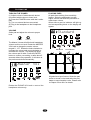
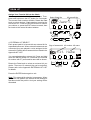
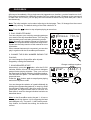
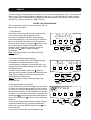
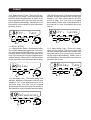
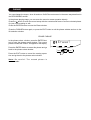
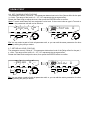
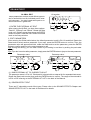
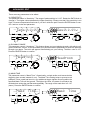
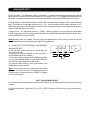
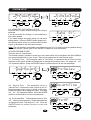
current frame or change settings of this phrase,
rotate the Data Knob until “Rec. Setup” appears and
blinks, then press the ENTER button to start setup.
Note: The selected phase number will be displayed
in the right side of the screen.
Please refer to the RECORD SETUP section of this
chapter for more information.
Rec. Setup
KIT
1
SETUP
ENTER
EXIT
3
2
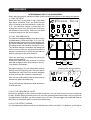
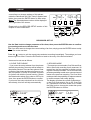
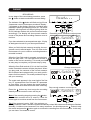
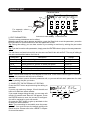
RECORDER SET UP
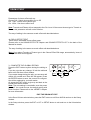
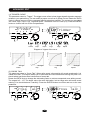
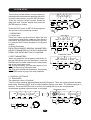
Use the Data knob to change parameter of the item; then press the ENTER button to confirm
your setting and turn to the next item.
Tip: If you don’t want to change the current setting of an item, simply press the ENTER button to skip
it and turn to the next item.
Press the
button to exit the record setup and start recording immediately. The settings you have
done will go into effect. Press the EXITbutton to back to the entry of the Record window.
Items can be set are as follows:
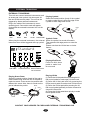
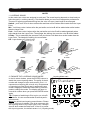
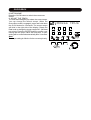
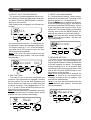
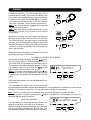
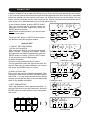
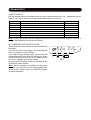
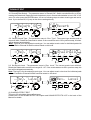
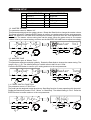
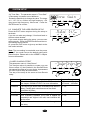
1. CLEAR THE PHRASE
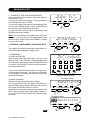
- If you enter the setup window from the phrase
select & play window, the setup will be based on
the phrase selected. There are two options: Clear
contents of the phrase and leave its frame to create new phrase, or keep its contents recorded
for further edit with the record function. Rotate
the Data knob to select On to clear or OFFnot to
clear, then press the ENTER button to confirm.
If you enter the setup window from the kit window directly, this item will skip automatically.
Clear
SETUP
ENTER
EXIT
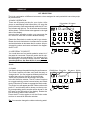
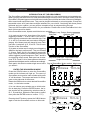
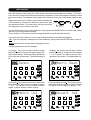
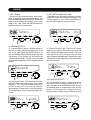
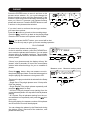
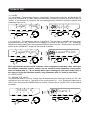
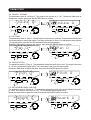
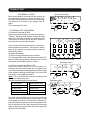
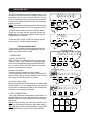
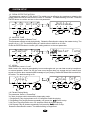
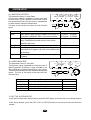
2. RECORD MODE
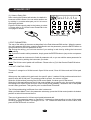
- There are two record mode: Over Dub and Over
Write. After finish recording for all measures, it’ll
restart from the first measure for further recording with contents recorded. The Over Dub mode
provides possibility to add more notes and sound
tracks to the previous recording. The Over Write
mode provides the possibility to replace contents
in certain measure with newly playing.
The display will show the current mode status, i.
e. the Over Dub mode is On or Off. Over Dub
oFF represents Over Write mode is On. Rotate
the Data knob to change the mode then press
the ENTER button to confirm.
Over Dub
SETUP
ENTER
EXIT