1
5-7
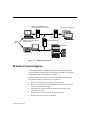
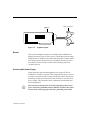
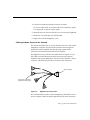
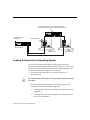
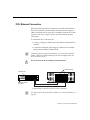
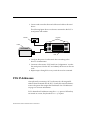
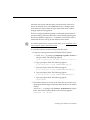
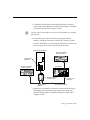
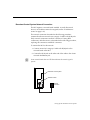
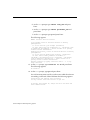
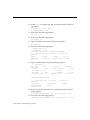
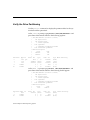
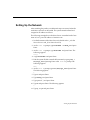
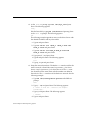
3. Connect the NewsCutter to the multiple-serial-port connector
panel using 9-pin-to-RJ-45 and 25-pin-to-RJ-45 adapters. The RJ-45
connection is made with a category-5 cable.
n
Optional 9-pin-to-RJ-45 adapters and 25-pin-to-RJ-45 adapters are available
through Avid.
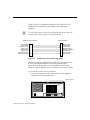
4. Connect the deck to the NewsCutter using 9-pin-to-RJ-45
adapters. The RJ-45 connection is made with a category-5 cable.
For more information on connecting the NewsCutter to decks, see
the Avid Digital News Gathering System Hardware Guide.
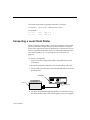
Media Capture Manager
Deck (high-resolution
serial connection)
Multiple serial
port board
Deck (low-resolution
serial connection)
NewsCutter
Composite
R-Y
B-Y
Y
R-Y
B-Y
Y
Input
Composite
Output
Serial
Ports
4
3
2
Time Code In
Analog
Ref In
1
UI Monitor
Keyboard
Remote
GPI
Multiple-serial-port
connector panel
25-pin-to-RJ-45
adapters
9-pin-to-RJ-45
adapters
Category-5 cables
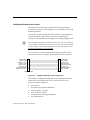
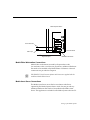
5. (Optional low-resolution connection.) Connect a deck directly to
the multiple serial connector panel using 9-pin-to-RJ-45 and
25-pin-to-RJ-45 adapters. The RJ-45 connection is made with a
category-5 cable.
Setting up the Media System