1
-1-
M Consult the dealer or an experienced radio/television tech-
M Connect the equipment into an outlet on a circuit different
from that which the receiver is connected.
M Increase the separation between the equipment and receiver.
M Reorient or relocate the receiving antenna.
NOTE: This equipment has been tested and found to
comply with the limits for a Class B digital device pursuant to
Subpart J of Part 15 of FCC Rules. These limits are
designed to provide reasonable protection against harmful
interference in a residential installation. This equipment
generates, uses and can radiate radio frequency energy
and, if not installed and used in accordance with the
instructions, may cause harmful interference to radio
communications. However, there is no guarantee that
interference will not occur in a particular installation. If this
equipment does cause harmful interference to radio or
television reception, which can be determined by turning the
equipment off and on, the user is encouraged to try to
correct the interference by one or more of the following
measures:
-2-
* Only Windows XP supports data transfer speeds of up to 480
MBps; the others only support speeds of up to 12 MBps.
M An empty PCI slot on the system
M Windows XP; Windows 2000; Windows ME Win98 SE; Mac
OS 8.6 or higher*
System Requirements
M Supports Universal Board Slot
M Low profile, half height card - ideal for compact system cases
M Installs inside the computer: saves space; allows for a neat
and tidy work environment; no cable mess on the desktop
M Provides 3 independent, fully functioning downstream ports
M Supports all USB devices - backward compatible with USB 1.1
M Supports transfer speeds of up to 1.5 / 12 / 480Mbps
M Fully Compliant with the USB 2.0 Specification
Features
The IC-230U 3 Port USB PCI Card complies with the USB 2.0
standard. This represents the second USB generation, and
provides transfer rates of up to 480MBps. It is faster, more
efficient, and more capable than its predecessor, USB 1.1, yet is
fully backward compatible, so prior user investment in USB 1.1
peripherals is not lost. Since the IC-230U is a low profile,
half-height card, it is ideal for popular compact, mini-sized
system cases.
The IC-230U 3 Port USB PCI Card is a unique and elegant
implementation of the USB Hub principle. Instead of taking up
space on the desktop as a separate unit, it plugs into a PCI slot
on the computer’s mainboard. In this way, the IC-230U neatly
and efficiently provides three USB ports (two external, one
internal), to computers that have no USB ports, or adds three
USB ports to computers that already do. The internal port is
provided specifically for connecting the new breed of internal
USB devices, such as removable media drives, CD-ROM and
DVD drives, Floppy and Hard Disk drives, etc.
Universal Serial Bus (USB) technology has emerged in response
to the increasing number of external peripheral devices (printers,
scanners, modems, digital cameras, removable drives, etc.), that
are being connected to the latest generation of computers. Not
only is it significantly faster for data transfer, but it does not
require the installation of expansion cards or the use of IRQs, so
many devices can be easily connected, and IRQ conflict
problems are eliminated. Since many older computers don’t
have USB connectors on board and most new computers come
with only one or two USB ports, multi-port solutions have been
developed to handle all the USB peripherals users may want to
connect up.
Overview
2
3
-3-
b) In the dialog box that comes up, leave the default choice:
Search for the best drivers for your device; Click on Next
to continue.
a) When Windows boots up, it detects the IC-230U’s
presence, and the New Hardware Wizard appears; Click
on Next to continue.
2. For systems prior to XP and 2000, you will need a USB 2.0
driver disk. If one isn’t supplied with your IC-230U package,
you will need to purchase it from your dealer.
1. Windows XP and Windows 2000 have native USB driver
support. If USB 2.0 drivers aren’t already installed in your
computer, you can get them by clicking the Start button, and
then selecting Windows Update.
Windows Driver Installation
3. Close the computer case and power up your system.
Note: If you are installing the card in a Low Profile case,
unscrew the mounting bracket and replace it with the
Half Height mounting bracket.
2. Install the hub card in the computer’s expansion card area in
the same way you would install any other expansion card.
See your computer’s User Manual for details, if necessary.
1. Make sure that the power to your system is Off, then open
the computer case according to the instructions that came
with its User Manual.
Installing the Card
Cables from USB peripherals can plug into any available port.
3. Internal Port
2. Mounting Bracket Screws
1. External Ports
1
Components
-4-
Plug the A connector end of the peripheral’s USB cable into any
available port. The internal port is specifically provided for use
with internally mounted USB peripherals such as CD-ROM and
DVD drives, hard and floppy disk drives, removable media
drives, etc.
Connecting Peripherals
Note: The wording may vary slightly, depending on your
version of Windows.
If the driver was installed correctly, the following entries should
appear:
NEC USB Open Host Controller
NEC USB Open Host Controller
USB 2.0 PCI to USB Enhanced Host Controller
USB Root Hub
USB Root Hub
3. Click the Plus sign in front of Universal serial bus controller.
2. Select the Device Manager tab.
1. Navigate down through the following folders: My Computer;
Control Panel; System.
To check that the driver was correctly installed:
3. After the driver files have been copied to the hard disk, a
dialog box appears to tell you that the installation has
finished. Click on Finish.
d) In the confirmation dialog box that comes up, Click on
Next to continue. Files are now copied to your hard disk.
c) In the dialog box that comes up, insert the driver disk in
the disk drive; specify the drive and directory appropriate
for your system; Click on Next to continue.
Static electricity may
cause the unit to
operate erratically.
Erratic Operation
500mA (max.)
5 ~ 40o C
-20 ~ 60o C
0 ~ 80% RH
Operating Temperature
Storage Temperature
Humidity
-5-
The direct vendor also reserves the right to revise or update the
device or documentation without obligation to notify any
individual or entity of such revisions, or update. For further
inquiries, please contact your direct vendor.
The direct vendor makes no warranty or representation,
expressed, implied, or statutory with respect to the contents or
use of this documentation, and especially disclaims its quality,
performance, merchantability, or fitness for any particular
purpose.
IN NO EVENT SHALL THE DIRECT VENDOR’S LIABILITY
EXCEED THE PRICE PAID FOR THE PRODUCT FROM
DIRECT, INDIRECT, SPECIAL, INCIDENTAL, OR
CONSEQUENTIAL DAMAGES RESULTING FROM THE USE
OF THE PRODUCT, DISK, OR ITS DOCUMENTATION.
Limited Warranty
+5V DC
2
External
Specification
Output Current (per port)
1
Internal
Action
Unplug the USB cables from
the computer’s USB ports,
then reinsert them.
Output Voltage (per port)
Ports
Function
Specifications
Cause
Problem
Troubleshooting
All brand names and trademarks are the registered property of their respective owners.
© Copyright 2001 ATEN® International Co., Ltd.
Manual Part No. PAPE-1197-200
Printed in Taiwan 03/2002
If anything is damaged or missing, contact your dealer.
M 1 User Manual
M 1 Half Height Mounting Bracket
M 1 IC-230U Three Port USB PCI Card
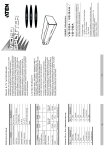
This package contains:
Read this manual thoroughly and follow the installation and
operation procedures carefully to prevent any damage to the
unit, and/or any of the devices connected to it.
IC-230U
User Manual
USB 2.0