1
SR10000 USER’S GUIDE
c.
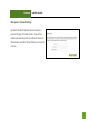
Reset the Smart Repeater back to default settings and try the Smart Setup Wizard again. To reset the
Repeater back to default settings, push the Reset Button (on the back panel) down for five (5) to ten
(10) seconds then let go. After the Smart Repeater has fully reset, use an Ethernet cable and connect
to the Smart Repeater. Login to the Web Menu at http://setup.ampedwireless.com and run through
the Wizard.
The connection to the Home Network seems slow. File transfers take a long time to transfer.
a.
b.
c.
You may be too far away from your Home Network. The closer the Smart Repeater is to your Home
Network, the better its connection will be. The Smart Repeater must have a strong signal in order to
repeat the signal with fast speeds and further range. Move the Smart Repeater closer to your Home
Network and try again.
You may be downloading from the Internet and not within your Home Network or Extended Network.
Files transferred through the Internet are limited by your ISP speed and the data download speeds
from the website that you are downloading from.
Your computer may be using an older Wi-Fi adapter with lower speed limits (802.11b/g).
47