1
Description of Button Functions
Set Button
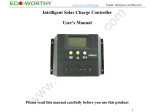
The Set Button allows you to cycle through all the display screens on the LCD controller. This includes the battery
voltage, battery temperature (if applicable and using a temperature sensor), the solar panel charge current, the
load discharge current, the accumulated charge capacity (Ah), the accumulated discharging capacity (Ah), set
point for the low voltage disconnection (LVD), set point for the low voltage reconnection (LVR), set point for the
high voltage disconnection (HVD), and the load working mode.
Display Screens That Can be Obtained by Pushing the Set Button
Plus (+) Button
The plus button is used to increase the value for each parameter. Also, to restore factory defaults, hold down the
plus button for 5 seconds.
Minus (-) Button
The minus button is used to decrease the value for each parameter. Also, in the main interface setting (also
known as the Battery Voltage) setting, push this button to turn on the load.
Viewing and Setting the Parameters
When the controller is powered on, the default screen will be the “battery voltage” screen. This is also known as
the “main interface screen”. By pushing the Set button, it is possible to cycle through all the screens. By holding
down the Set button for more than 5 seconds, the parameters values start flashing. Set the values and then push
Set again to store the values.
Battery Voltage (Main Interface) Screen
In this screen, the charge status, discharge status, approximate battery capacity, and battery
voltage is displayed. In this screen, push the minus (-) button to turn on and off the load.
Note, that turning the load on and off is only possible in the battery voltage (main interface)
screen.
Temperature Screen
The ambient temperature of the controller is shown. The value can be used for temperature
compensation for the low voltage disconnect function. The temperature sensor must be
attached.
Solar Panel Charging Screen
The charge current from the solar panel is shown in this screen.
Load Discharge Current Screen
The load current from the battery to the load is shown in this screen
Accumulated Charging Capacity by Solar Panel to the Battery Screen
This screen shows the estimated capacity delivered by the solar panel to the battery.
To reset, hold the Set button for 5 seconds. This is an estimate only.