1
Download and install the following Microsoft Update
http://www.microsoft.com/downloads/en/details.aspx?FamilyId=333325fd-ae52-4e35-b531508d977d32a6&displaylang=en
Install the 3.5 DOT net Update on your machine.
Follow these Steps when running the Bootloader Software "firmware.exe"
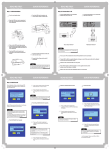
1. Turn off the Ovilus X
2. Plug the usb cable into your computer
3. Hold down the mode button on the Ovilus X and plug your USB cable in to it.
4. When the far right LED lights release the button.
5. Now start firmware.exe
============================================================
Current Version: 2/14/2012
Firmware 1.15 ovilus007.hex
Added Serial output for the OSD
============================================================
Current Version: 3/28/2011
Firmware 1.13 ovilus006.hex BETA Version
All versions will be considered beta till we reach 1.5
This version has a change, +/- now added to the phonetic modes
in the phonetic mode or reverse phonetic mode press <> to change the offset value
the offset shifts the values it takes to trigger phonetic speech. typically increase this value
to quite the Ovilus.
===========================================================
Current Version: 3/10/2011
Firmware 1.12 ovilus005.hex BETA Version
Release Notes: removed magnetic field readings mode
This version now includes a firmware message at power up stating the firmware number.
All versions will be considered beta till we reach 1.5
This version has a change that gain is now defaulted at 2 if you increase above 5
the system is more sesitve, if your decrease it below 5 it will be less sensitive.
Level Mode has been added as well to alter the software gain as well default is 200 range is 20 to 250.
While changing modes the < button will now move you backwards so you don't have to go through
all the menu options.
===========================================================
Current Version: 2/17/2011
Firmware 1.003 ovilus003.hex BETA Verion
Release Notes: Added magnetic field readings mode
** Some units are having trouble with the magnet field function. units 002-0014
The Sensor is designed to monitor the em output from the internal electronics
of the Ovilus II. I added the Mag function however it appears that the sensors orientation
may cause this function not to work. I'll be emailing everyone early next week to
discuss this issue. -Bill
============================================================
Current Version: 1/1/2011