1
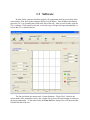
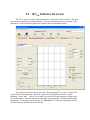
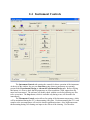
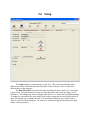
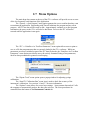
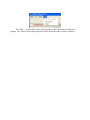
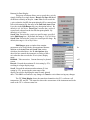
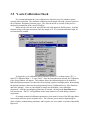
“System Coefficients” opens a popup window with the most critical of the software
calibration constants. This is often the easiest place to find the instrument serial number, which
is in the upper left corner. None of these numbers should be changed without direct instruction
from a MicroCal technician.
“Start in Advanced Mode” tells the software to open with the “Advanced Experimental
Design” tab selected by default.
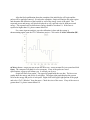
The “ITC Equilibration Options” affect the equilibration before a run starts and are
generally only used for troubleshooting. When the “Fast Equil.” option is disabled, the system
will go through an additional prerun state, a non-stirring equilibration period before stirring is
started. This can be useful when stirring-related noise problems are suspected. When the “Auto
Mode” option is selected the ITC experiment will proceed through the equilibration states (Prestirring and Final Baseline) and complete the experiment without any further interaction from the
user. With this option disabled, the prerun equilibration will not progress from one state to
another until the user double clicks on the DP data box.