1
2 Safety
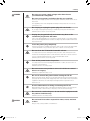
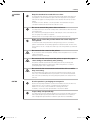
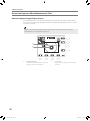
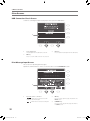
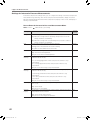
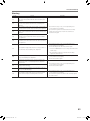
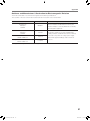
Keep the forehead rest and chin rest clean.
CAUTION
To prevent the risk of infection, wipe the forehead rest with disinfectant ethanol for
each patient. To ensure cleanliness, replace the chin rest paper for each patient.
If the chin rest paper is not being used, be sure to disinfect the chin rest for each
patient.
For details on how to disinfect, consult a specialist. The forehead rest may be
corroded if a disinfectant other than those above is used.
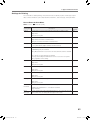
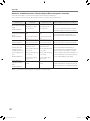
Be sure to turn off the power when not in use.
For safety reasons, be sure to turn off the power of all the devices when the TX-20
is not being used.
Also, remove the power plug from the AC outlet and put on the cover when the TX20 is not going to be used for a long time.
Otherwise, dust or any foreign matter may accumulate and result in fire.
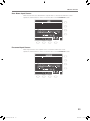
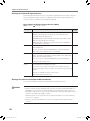
Make sure to select the position where the nozzle stops for
each patient.
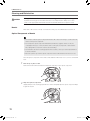
Look from the side of the patient when setting the stop position to see that the
patient’s forehead and chin are firmly against the forehead rest and chin rest. If the
stop position is not set correctly, the nozzle may contact the patient’s eye and result
in injury.
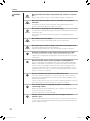
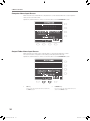
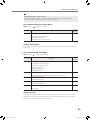
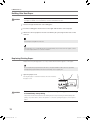
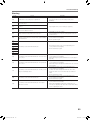
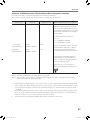
Do not touch the cutter for the printer.
Prohibited
Do not touch the cutter for the printer. Similarly, instruct the patient not to touch the
cutter for the printer.
Otherwise, it may result in injury.
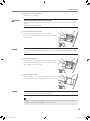
Do not touch the area around the printer or open the paper
cover during or immediately after printing.
Prohibited
The printer’s thermal head and the surrounding area are very hot during and
immediately after printing. To prevent burns, wait for the printer to cool before
opening the paper cover to replace paper.
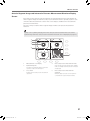
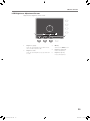
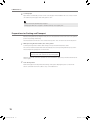
Do not touch the measurement unit and the chin rest while
they are moving.
Prohibited
CAUTION
The measurement unit and the chin rest move when the power is turned on, full
auto is set, or the CHIN REST button is pressed. Do not touch the measurement
unit or the chin rest while they are moving. Keep the patient’s chin away from the
chin rest.
Use the product’s packaging to transport it.
Use the TX-20 packing materials to protect it from vibration and shocks when it is
transported on a cart, in a vehicle, or if shipped over long distances.
Vibration or shock may cause a breakdown or damage the TX-20.
For details, contact your sales representative or local Canon dealer.
Inspect daily and periodically.
For safety reasons, before using the TX-20, be sure to perform the daily inspection.
Have a periodically inspection performed for the TX-20 at least once a year by a
Canon designated representative to maintain its performance and reliability.
13
L-IE-5191C_TX-20.indb
13
2013/07/18
13:10:13