1
188
Chapter 12. Advanced Topics
while playing your jukebox in your car, and a headphones.cfg file to store the settings
that you use while listening to your player through headphones.
See section 12.3.2 (page 188) below for an explanation of the format for configuration
files. See section 12.3.3 (page 189) for an explanation of how to create, edit and load
configuration files.
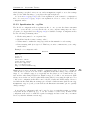
12.3.2. Specifications for .cfg Files
The Rockbox configuration file is a plain text file, so once you use the Save .cfg file
option to create the file, you can edit the file on your computer using any text editor
program. See Appendix section E (page 218) for available settings. Configuration files
use the following formatting rules:
1. Each setting must be on a separate line.
2. Each line has the format “setting: value”.
3. Values must be within the ranges specified in this manual for each setting.
4. Lines starting with # are ignored. This lets you write comments into your configuration files.
Example of a configuration file:
Example
volume: 70
bass: 11
treble: 12
balance: 0
time format: 12hour
volume display: numeric
show files: supported
wps: /.rockbox/car.wps
lang: /.rockbox/afrikaans.lng
Note: As you can see from the example, configuration files do not need to contain all
of the Rockbox options. You can create configuration files that change only certain settings. So, for example, suppose you typically use the player at one volume in the car,
and another when using headphones. Further, suppose you like to use an inverse LCD
when you are in the car, and a regular LCD setting when you are using headphones. You
could create configuration files that control only the volume and LCD settings. Create a
few different files with different settings, give each file a different name (such as car.cfg,
headphones.cfg, etc.), and you can then use the Browse .cfg files option to quickly
change settings.
A special case configuration file can be used to force a particular setting or settings
every time Rockbox starts up (e.g. to set the volume to a safe level). Format a new
configuration file as above with the required setting(s) and save it into the /.rockbox
directory with the filename fixed.cfg.
The Rockbox manual
(version rUnversioned directory-151218)
Toshiba
Gigabeat F and X Series
b