1
Installing the Option Module
Connecting the Option
Module to the Network
Chapter 2
ATTENTION: Risk of injury or death exists. The PowerFlex drive may
contain high voltages that can cause injury or death. Remove power from
the drive, and then verify power has been discharged before connecting the
option module to the network.
1. Remove power from the drive.
2. Remove the drive cover and lift up the drive HIM bezel to its open
position to access the drive control pod.
3. Use static control precautions.
4. Route the Profibus cable through the bottom of the PowerFlex drive.
5. Connect a Profibus connector to the cable.
Profibus connectors are available from a variety of sources and in various
sizes. As such, there may be mechanical limitations that prohibit the use of
some connectors. Phoenix SUBCON-PLUS-PROFIB/AX/SC (Part #
2744380), Siemens 6GK1500-0FC00, or Brad BM5G60PP4Mxxx are
recommended for use with PowerFlex 750-Series drives.
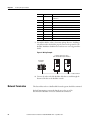
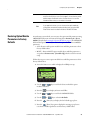
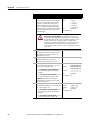
Figure 2 - Profibus Connector
6. Connect the Profibus cable to the option module and secure it with the
two screws on the connector.
IMPORTANT
Profibus communication may not operate correctly if the
cable shield does not make full contact with the
connector housing.
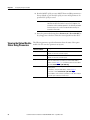
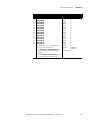
Figure 3 - Network Wiring Diagram
B
A
B
A
B
A
B
A
Rockwell Automation Publication 750COM-UM004B-EN-P - September 2012
B
A
B
A
23