1
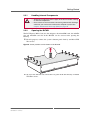
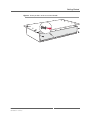
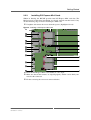
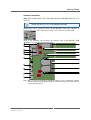
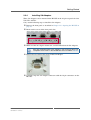
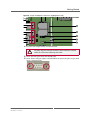
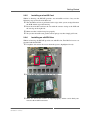
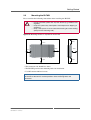
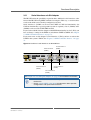
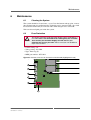
Getting Started 2.2.1 Handling Internal Components • ! 2.2.2 • Switch off or unplug the power supply of the box PC before working on internal components. Please observe the instructions concerning electrostatic discharge whenever you work on the inside of the computer system. See Chapter Electrostatic Discharge (ESD) on page 10. Opening the BL70W The PCI Express Mini Cards, the SA-Adapters, the microSIM cards, the mSATA slot and microSD card slot of the BL70W can be accessed after opening the housing. For this purpose, remove the system’s bottom panel fixed by ten M3x8 TX8 Torx screws. Figure 6. Screw positions on the bottom of the BL70W To access the SD card slot, remove the rear panel of the unit fixed by six M3x8 TX8 Torx screws. MEN Mikro Elektronik GmbH 20BL70W00 E1 – 2014-12-09 25