1
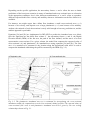
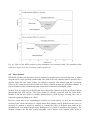
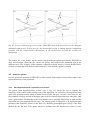
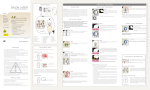
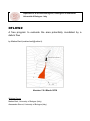
Fig. 4.3. In case of intersecting cross-sections, DFLOWZ checks if the intersection occurs along the
inundated width or not. In first case (b), the downstream section is omitted and the computation
proceeds with the section further downstream. In the second case (a) both the sections are
maintained.
The sample file “Case_01.dfz” can be used to test the different options provided by DFLOWZ to
draw cross-sections. Open the file, choose an option, and compare the inundated area in the
different cases. The “Sample” folder contains a shapefile with the traces of 14 user-defined crosssections (sections.shp) that must be loaded when the “User-defined” option is selected.
4.5 Analysis options
Several options are available in DFLOWZ to take control of the analysis and possibly improve the
representativeness of the prediction.
4.5.1
Start deposition from a specified cross-section
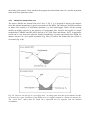
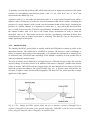
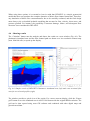
The option “Start deposition from section” (box 5, Fig. 2.1) allows the user to evaluate the
sensitivity of the results on the starting point of the deposition. As said above, the deposition starts
at the first upstream section which is usually located at the fan apex. In some cases, however, the
flow channel is deeply incised in the upper part of the fan and the deposition may take place only
from a point further downstream; or the flow channel can be partially filled along its path and the
deposition may start upstream the fan apex. The starting point of deposition is an important input
parameter that should be chosen on the basis of a detailed geomorphological survey of the flow
channel on the fan area. This option allows to evaluate how the flooded area varies if some