1
Calculator
1
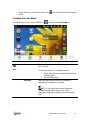
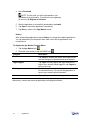
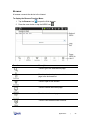
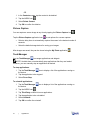
Tap the Calculator icon
2
Tap the numbers and sign of operation to perform the desired calculation.
3
Tap clear to clear the result.
4
Tap the HOME icon
.
to return to the Desktop screen.
Email
NOTE: The device supports both Post Office Protocol (POP3) and Simple Mail
Transfer Protocol (SMTP) accounts. You can enter multiple personal email addresses to
access through the device.
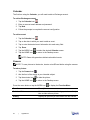
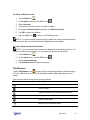
To add Email accounts:
1
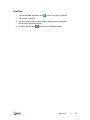
Tap the Email icon
2
Tap Next on the Your Accounts screen.
3
Tap in the Email address entry field and enter your email address.
4
Tap in the Password entry field and enter your email password.
5
Tap Done.
.
NOTE: The server settings are automatically populated based on your email account
provider. However if you need to change the server settings:
a Tap Manual Setup.
b Make the necessary changes.
6
Tap Next.
7
Enter a name for the account, if desired.
8
Enter a name for an outgoing message.
9
Tap Done.
NOTE: After setup, if you are unable to connect to a free email account, check with
your email provider to make sure their servers support free accounts on Post Office
Protocol (POP) or Simple Mail Transfer Protocol (SMTP).
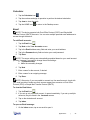
To view the Email Inbox:
1
Tap the Email icon
2
If you set up only one email account, it opens immediately. If you set up multiple
accounts, they are listed in the Accounts screen.
3
Tap on the desired email account.
4
Tap Inbox.
.
To open an Email message:
1
On the Inbox screen, tap on an email to open it.
Applications
|
24