1
while outline fonts do scale proportionally, this is not always desired, e.g., when a font is available
in optical sizes, like the Computer Modern font family.
3.2
Previewing MetaPost graphics
The PostScript output of MetaPost can be previewed with any decent PostScript viewer, e. g.,
GSview. The situation becomes only a little bit fussy when PostScript graphics contain text. By
default, MetaPost doesn’t produce self-contained EPS files, e. g., font resources and encoding vectors
are not stored in the output. For that reason MetaPost output containing text may be rendered
with wrong fonts, wrong glyphs or with no text at all in a PostScript viewer. For a long time, the
most reliable way for previewing was to prepare a test document that includes all MetaPost figures,
process that with TEX or LATEX and dvips and display the resulting ps file in a PostScript viewer.5
However, with MetaPost version 1.000 the situation changed. Since that version MetaPost is
able to produce self-contained EPS files, that can reliably be previewed, may they contain text or
not. The new behaviour can be triggered by setting MetaPost’s internal variable prologues to 3.
See section 8.1 for more information on prologues.
Starting with version 1.200, MetaPost is also capable of producing SVG output. SVG files can
be previewed with certain web browsers, for example Firefox 3 or Konqueror 4.2.
3.3
Importing MetaPost graphics in TEX documents
MetaPost graphics in the PostScript format can be easily integreated into documents prepared with
TEX and friends. MetaPost’s PostScript output is a low-featured dialect of the Postscript language,
called purified EPS, that can be converted into the Portable Document Format (PDF) language
on-the-fly. For that reason, MetaPost graphics can be handled by both engines, the traditional TEX
with an external output driver and the newer pdfTEX, that contains a built-in PDF output driver.
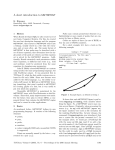
Figure 2 shows the process of including a MetaPost graphic into a plain TEX or LATEX document.
In the TEX document a “magic macro” provided by the format or an external package is used
for including a graphic file. During the typesetting stage, the macro only reads bounding box
information off the PostScript file and reserves the required space on the page via an empty box.
The file reference is passed-on to the output driver and only then, finally, the file is embedded into
the document. The freely available program dvips is used as an output driver in this example.6
The next paragraphs give brief information on some popular combinations of formats and engines.
Plain TEX with TEX For users of TEX with traditional DVI output the epsf package provides
the “magic macro”
\epsfbox{⟨filename⟩}
for embedding graphics, e.g., \epsfbox{fig.1}.
Plain TEX with pdfTEX Users of Plain TEX and pdfTEX should refer to the standalone macros
of the mptopdf bundle, that can be found at http://context.aanhet.net/mptopdf.htm.
LATEX format For LATEX documents the well-known graphics (or graphicx) package aids in
external graphics inclusion. The package supports different engines and can handle several graphic
formats. The “magic macro” is
\includegraphics{⟨filename⟩}
5 There are alternatives, though. mpstoeps is a Perl script that automates the process outlined above. mptopdf is
another tools that converts MetaPost files to PDF.
6 The C source for dvips comes with the web2c T X distribution. Similar programs are available from other sources.
E
6