1
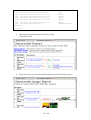
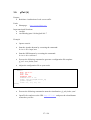
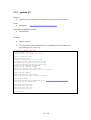
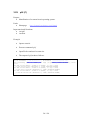
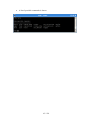
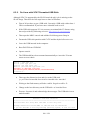
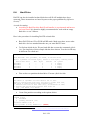
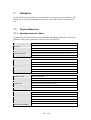
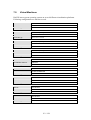
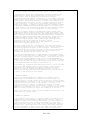
usbfs on /proc/bus/usb
/dev/hda1 on /mnt/hda1
/dev/hda3 on /mnt/hda3
/dev/sda1 on /mnt/sda1
type
type
type
type
usbfs (rw)
ext3 (rw,noatime)
ext3 (rw,noatime)
xfs (rw,noatime)
·
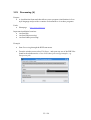
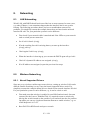
If there is still a file system (e.g. sda1) mounted then unmount it:
umount /dev/sda1
·
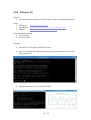
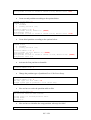
Wipe the USB stick to avoid later problems when installing the boot loader:
dd if=/dev/zero of=/dev/sda bs=1M
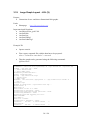
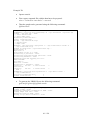
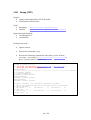
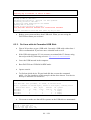
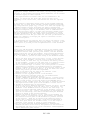
root@slax:~# dd if=/dev/zero of=/dev/sda bs=1M
dd: writing `/dev/sda': No space left on device
3920+0 records in
3919+0 records out
4110227968 bytes (4.1 GB) copied, 557.438 s, 7.4 MB/s
·
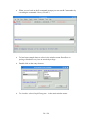
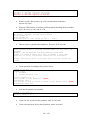
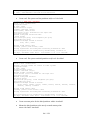
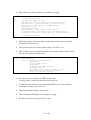
Then we have to partition the hard drive. Execute: fdisk /dev/sda
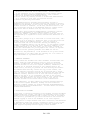
root@slax:~# fdisk /dev/sda
Device contains neither a valid DOS partition table, nor Sun, SGI or OSF
disklabel
Building a new DOS disklabel with disk identifier 0x66b7eb5d.
Changes will remain in memory only, until you decide to write them.
After that, of course, the previous content won't be recoverable.
Warning: invalid flag 0x0000 of partition table 4 will be corrected by
w(rite)
·
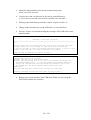
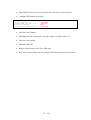
Create partition according to the options below:
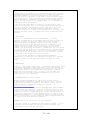
Command (m for help): n
Command action
e
extended
p
primary partition (1-4)
p
Partition number (1-4): 1
First cylinder (1-1019, default 1): {ENTER}
Using default value 1
Last cylinder or +size or +sizeM or +sizeK (1-1019, default 1019): {ENTER}
Using default value 1019
·
Activate the partition as bootable:
Command (m for help): a
Partition number (1-4): 1
·
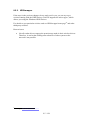
Create xfs file system on first partition: mkfs.xfs /dev/sda1
·
Create a mount point for the third partition: mkdir /mnt/sda1
102 / 128