1
NICE3000 User Manual
Function parameter description
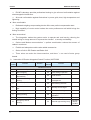
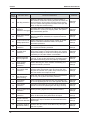
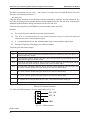
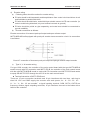
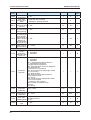
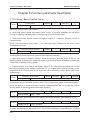
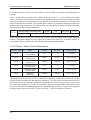
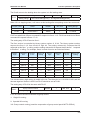
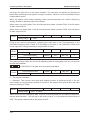
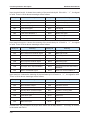
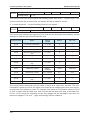
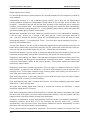
The lift will return to the landing when the system is in fire landing state.
F6-04
Stop landing
Setting Range
Default
1
Min. Unit
1
The lowest landing(F6-01)~The highest landing(F6-00)
When lift is in stopping state, it will return to this landing after completing control box command.
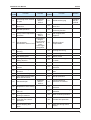
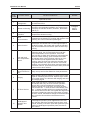
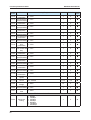
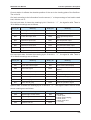
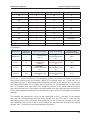
Function code
Name
Default
Min. Unit
Setting Range
F6-05
service floor 1
65535
1
0~65535
F6-06
service floor 2
65535
1
0~65535
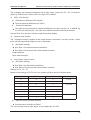
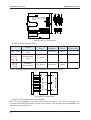
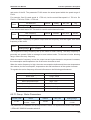
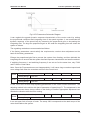
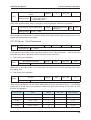
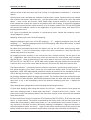
F6-05 set what kind of floors command lift respond in floors 1~16. F6-06 set what kind of floors
command lift respond in floors 17~31.
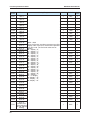
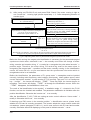
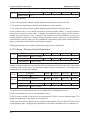
The setting way of F6-05 service floor 1:
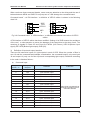
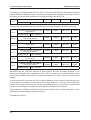
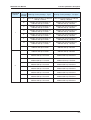
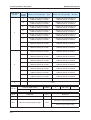
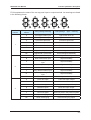
The floor service is controlled by binary system number of 16 bit. The binary system number
express the floor 1~16 from low bit to high bit, The setting relevant bit 1express that lift
responds to this floor’s calling, and the setting relevant bit 0 express that lift doesn’t respond
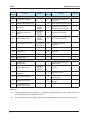
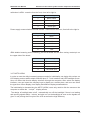
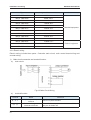
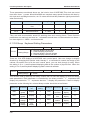
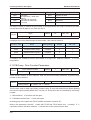
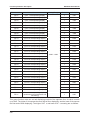
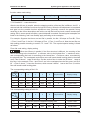
to this floor’s calling. For example, floors in need of service are listed as follows:
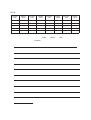
Binary
digit
Relevant
floor
Service
or not
Binary bit
setting
Binary
digit
Relevant
floor
Service
or not
Binary bit
setting
Bit0
Floor 1
ON
1
Bit8
Floor 9
OFF
0
Bit1
Floor 2
OFF
0
Bit9
Floor 10
ON
1
Bit2
Floor 3
ON
1
Bit10
Floor 11
ON
1
Bit3
Floor 4
ON
1
Bit11
Floor 12
OFF
0
Bit4
Floor 5
ON
1
Bit12
Floor 13
ON
1
Bit5
Floor 6
ON
1
Bit13
Floor 14
ON
1
Bit6
Floor 7
ON
1
Bit14
Floor 15
ON
1
Bit7
Floor 8
OFF
0
Bit15
Floor 16
ON
1
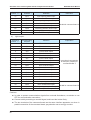
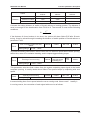
The relevant binary digit setting is added in the list. The binary bit is 1111011001111101,and the
relevant algorism number is 63101,so F6-05 should be set as 63101.
The setting way of F6-06 is the same with F6-05.
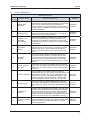
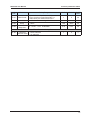
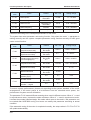
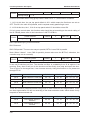
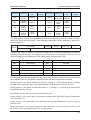
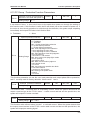
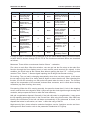
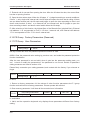
F6-07
Group control number
Setting Range
Default
1
Min. Unit
1
1~8
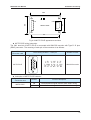
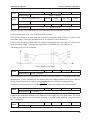
It can be used to choose lift number of group control:
1: Single lift running
2:2 parallel lift running
3~8: Group control running (need the cooperation of group control panel MCTC-GCB-A)
129