1
Validate Your System
Chapter 2
Validate Your System
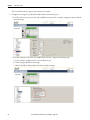
In this section, you review the Machine Functions screen and explore the Status and Command screens to test the manual
control of the building block.
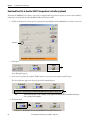
Understand the Machine Functions Screen
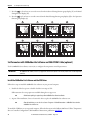
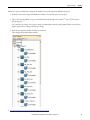
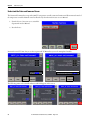
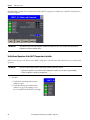
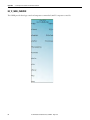
The Machine Functions screen is the screen that links to all of the installed building blocks. When this screen is first
loaded, you can complete the following tasks:
•
•
•
•
•
Return to the Machine Overview screen by pressing the ‘X’ in the upper right corner of the screen.
View a device in detail by pressing its button.
View the current machine Auto/Manual state.
Change the current machine Auto/Manual state.
Clear machine faults, start/stop the machine (while in Auto mode) and go to the machine state diagram overview
screen.
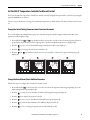
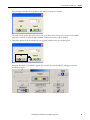
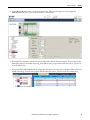
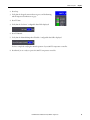
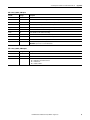
The border of the device button changes color to indicate a specific status. For the 900-TC temperature controller, the
button border colors indicate the following status:
• A green border indicates the 900-TC temperature controller has the communication write command enabled.
• A gray border indicates the 900-TC temperature controller is inactive.
• A red border indicates the 900-TC temperature controller has a fault or an alarm present.
Rockwell Automation Publication CC-QS027D-EN-P - August 2015
45