1
7.
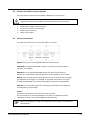
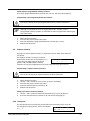
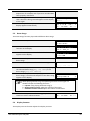
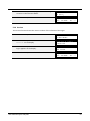
Press the MENU piston 2x to exit the Johannus Menu.
Opus 250
Mem: 1
Tr: 0/440
Cr:--
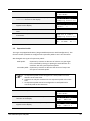
5.10 Reverb Settings
The Opus 250 is equipped with the Adaptive Surround Reverb ASR-12 system. With this system
it is possible to choose a matching reverb for each intonation style and variation. The length of
the reverb can be changed and a 3D Surround effect can be enabled.
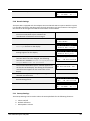
1.
2.
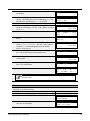
Use the intonation style and variation pistons to
activate an intonation style or variation the
reverberation of which has to be changed.
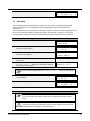
Press the MENU piston.
Johannus
Menu:
Crescendo
3.
4.
5.
6.
7.
8.
9.
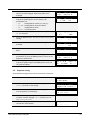
Use the - and + pistons to select the Reverb
Settings function on the display.
Johannus
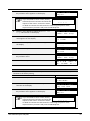
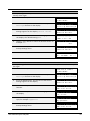
Press the ENTER piston. The first function of the Reverb
Settings appears on the display.
Reverb Settings
Use the - and + pistons to select the desired reverb
function which has to be changed. The following
functions are available: Reverb Program, Reverb
Length and Reverb 3D Surround.
Press the ENTER piston to confirm.
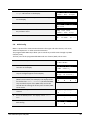
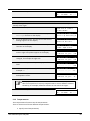
The activated intonation style or variation appears on
the first line of the display. The setting of the selected
reverb function appears on the second line of the
display.
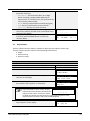
Use the - and + pistons to change the setting of the
selected reverb function.
Press the ENTER piston to confirm and to return to the
Reverb Settings menu.
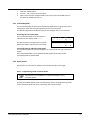
Press the MENU piston 2x to exit the Johannus Menu.
Menu:
Reverb Settings
Reverb Program
Reverb Settings
Rev. 3D Surround
Romantic
3D
Surround: On
Reverb Settings
Rev. 3D Surround
Opus 250
Tr: 0/440
Mem: 1
Cr:--
5.11 Startup Settings
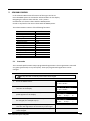
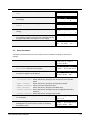
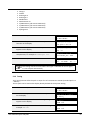
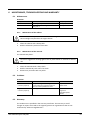
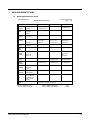
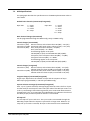
The Startup Settings can be used to select the startup defaults for the following functions:
a. Chorus On/Off
b. Default Intonation
c. Side Speakers volume
User Manual Opus 250/350
28