1
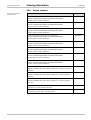
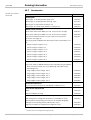
Operating Instructions Fault diagnosis Chapter 12 M4000 Adv., Adv. A/P, Area Display Possible cause Short-circuit at output signal switching device 1 Remedying the error Switch the device off and back on again for at least 3 seconds. If the error continues to occur: Check the wiring for short-circuit to 24 V. Short-circuit at output signal switching device 1 Switch the device off and back on again for at least 3 seconds. If the error continues to occur: Check the wiring for short-circuit to 0 V. Overcurrent at output signal switching device 2 Switch the device off and back on again for at least 3 seconds. If the error continues to occur: Check the contactor. Replace, if necessary. Check the wiring for short-circuit to 0 V. Short-circuit at output signal switching device 2 Switch the device off and back on again for at least 3 seconds. If the error continues to occur: Check the wiring for short-circuit to 24 V. Short-circuit at output signal switching device 2 Switch the device off and back on again for at least 3 seconds. If the error continues to occur: Check the wiring for short-circuit to 0 V. Short-circuit between Switch the device off and back on again for at output signal switching least 3 seconds. device 1 and 2 If the error continues to occur: Check the wiring and rectify the error. Short-circuit on the belt stop/C1 input Switch the device off and back on again for at least 3 seconds. If the error continues to occur: Check the wiring for short-circuits on the inputs/outputs: Reset, External device monitoring, Reset required and Application diagnostic output (ADO). Invalid configuration of the EDM Switch the device off and back on again for at least 3 seconds. If the error continues to occur: Check whether the machine-side EDM is connected but not activated in the configuration. 8010797/Q900/09-06-06 © SICK AG • Industrial Safety Systems • Germany • All rights reserved 95