1
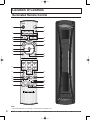
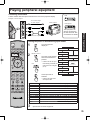
Remote Control Quick Reference Guide (Operating peripheral equipment)
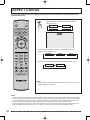
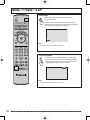
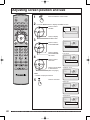
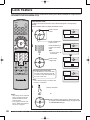
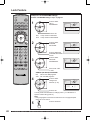
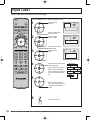
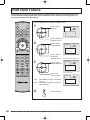
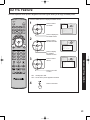
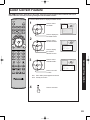
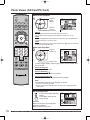
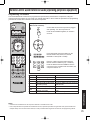
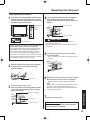
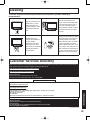
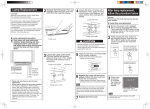
Programming Without A Code
This procedure searches all codes and is called the “sequence method.”
POWER
SAP
TV
VCR
DVD
DTV
RCVR
DBS/CBL
TV/VIDEO
1
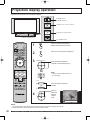
Confirm that the external component is plugged
in and on. Turn the component off.
AUX
A - ANTENNA - B
AS
PE C T
BBE
E
MENU
OK
LL
CH
VOL
+
R
VOL
CH
EXIT
1
2
3
4
5
6
7
8
9
R-TUNE
Press OK and POWER together, for at least 5
seconds.
A
EC
MU
T
LIGHT
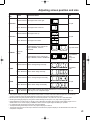
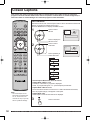
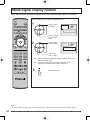
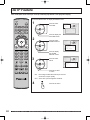
Setting to the remote using the step and set method
(When code is not known):
0
PROG
SWAP
REW
SPLIT
PLAY
SPLIT CTRL
PAUSE
STOP
REC
FREEZE
TV/VCR
SPLIT CH
DVD/VCR CH
SEARCH
OPEN/CLOSE
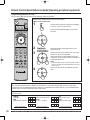
2
3
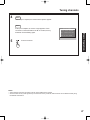
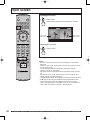
Press appropriate component button on the
Remote Control.
Press VOL ► to move forward to the next code.
Press VOL ◄ to move backward.
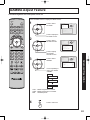
Press the Remote Control POWER to test the
component. If the procedure was successful, the
component will turn on.
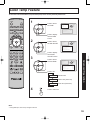
Note:
FF
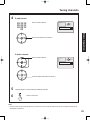
• Repeat the above steps until the component code is
found. It may take many attempts before the correct
code is found.
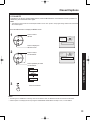
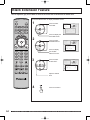
4
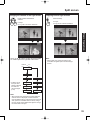
After the code is found, press OK to store the
code.
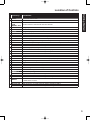
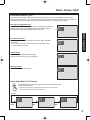
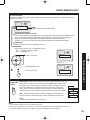
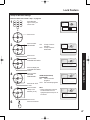
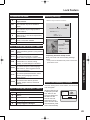
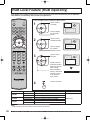
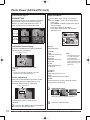
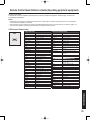
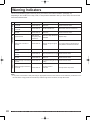
Component Codes
The Universal Remote Control is capable of operating many component brands after entering a code. Some
components may not operate because the codes are not available due to limited memory. The Universal Remote
Control does not control all features found in each model.
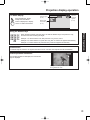
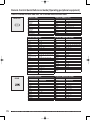
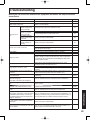
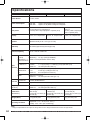
Write the code numbers from tables in this space. This will serve as a reference if you need to program your
Remote Control.
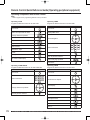
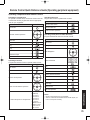
CABLE
Cable Box
DBS
Digital Broadcast System
Other Component
74
VCR
Video Cassette Recorder
RCVR
Receiver or Amplifier
Other Component
CD
Compact Disc Player
DVD
Digital Versatile Player
Other Component
For assistance, please call : 1-888-VIEW PTV(843-9788) or, contact us via the web at: http://www.panasonic.com/contactinfo