1
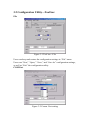
3.3 Configuration Utility—Status Info.
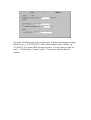
Figure 3-4 Status Information
The lower part of ADAM-4581 configuration utility shows the current
status of connected ADAM-4581. Users can change the settings and
mode, as well as view the corresponding change in real time.
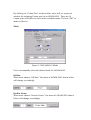
COM Port
Users can view the current COM port assigned to the connected
ADAM-4581.
Mode
There are three modes—Off-line, On-line Listen and On-line
Program—available for ADAM-4581. When “On-line Listen” is selected
in the Mode menu of the tool bar, users can view real time messages
generated from the connected ADAM-4581.
Status
The interaction between users and ADAM-4581 is shown in the Status
text field. For example, “Save Ok!!” “Download Complete!!” “Download
Failed!!” to name a few.
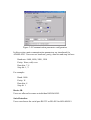
GSM
The status of GSM initialization, communication, operator service signal
strength and so on can be viewed by users in real time.