1
Contents
01 What's in the Box?
02 Assembling the TV
7
Attaching the TV to the Stand
7
Mounting the TV on a Wall (Optional)
9
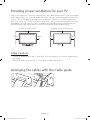
Providing proper ventilation for your TV
9
Arranging the cables with the Cable guide
10 Safety Precaution: Securing the TV to the wall
03 Connections
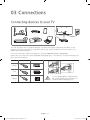
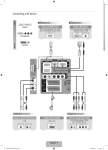
11 Connecting devices to your TV
12 Connecting to the Internet
14 TV Camera Connection (sold separately)
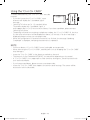
14 Connecting to a COMMON INTERFACE slot (Your TV viewing Card Slot)
04 The TV Controller
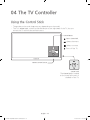
16 Using the Control Stick
17 The Standard Remote Control
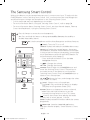
18 The Samsung Smart Control
20 About the Samsung Smart Control
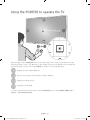
21 Using the POINTER to operate the TV
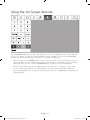
22 Using the On-Screen Remote
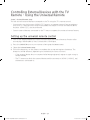
23 Controlling External Devices with the TV Remote - Using the Universal Remote
English - 4
[JU7000-XU]BN68-07072S-01ENG.indb 4
2015-05-04 오후 3:59:18