1
6
6.4.2
MAINTENANCE
Error indication and repairing
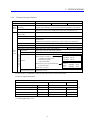
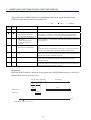
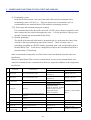
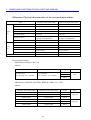
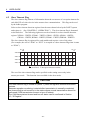
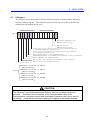
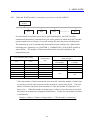
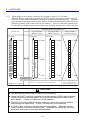
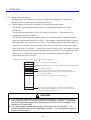
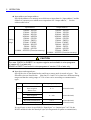
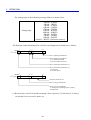
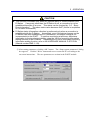
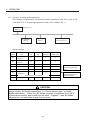
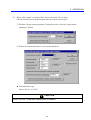
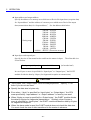
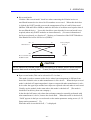
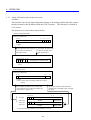
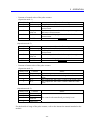
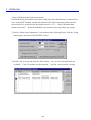
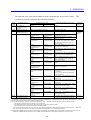
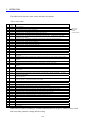
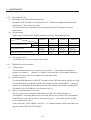
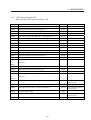
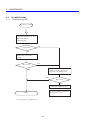
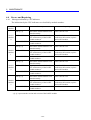
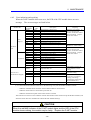
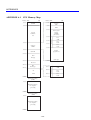
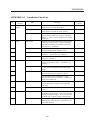
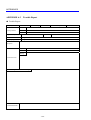
When the D.NET module detects an error, the LED of the CPU module shows an error
message. The error messages are listed below.
Message
displayed
MPUR
MPUA
CANM
SHM
ROMC
ROM1
RAMC
PRCP
TIM
MDSW
Error
code
1401
1402
1403
1404
1405
1406
1407
1408
1409
140A
MPU Register Compare Error
MPU Operation Check Error
CAN Register Compare Error
MPU Built-in Memory Compare Error
FROM Compare Check Error
FROM Checksum Error (microprogram)
SRAM Compare Check Error
Microprogram Copy Error
MPU Built-in Timer Diagnosis Error
Invalid MODU No. switch setting
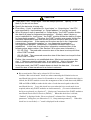
SBCP
ROM2
ROM3
CANA
PTY1
WDT
RSTO
ILLG
SLOT
ADDR
EXCP
PTY2
140B
140C
140D
2401
2403
2404
2405
3404
3406
3409
34XX
346C
OS Copy Error
FROM Checksum Error (sub-OS)
FROM Checksum Error (parameter)
CAN Access Timeout Error
Shared Memory Parity Error
Watch-Dog-Timer Timeout Error
Reset Timer Overflow Error
General Invalid Instruction
Slot Invalid Instruction
Address Error
SRAM Parity Error
MPU Exception Error
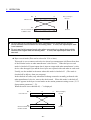
MACD
4281
Duplicated MAC ID
Network error
(Transmission stopped)
PRM2
PRM1
BOFF
CANT
5188
5189
7381
8181
Invalid Number of Input/Output Bytes
Invalid Parameter Setting
Transmission Bus Off
CAN Transmission Timeout Error (*)
T/M error
TMER
9001
Communication Error in T/M Operation
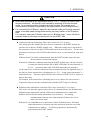
Module state
Initial
diagnosis
Hardware
error
In operation
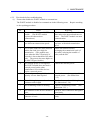
Description
Repairing
Reset the CPU module. If
the error message still
remains, the D.NET module
may be disabled. Replace
the D.NET module.
Check and correct the
MODU No. switch setting.
Reset the CPU module. If
the error message still
remains, the D.NET module
may be disabled. Replace
the D.NET module.
Check and correct the NA
(Node Address) switch
setting.
Check and correct the
parameter setting.
Check and correct loose
connection of connectors,
cabling, and settings
(transmission speed, MAC
ID, and MODU No.).
See Section 6.2.
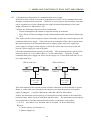
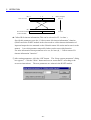
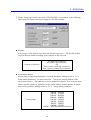
(*) A CAN transmission timeout occurs also in the following cases, but the D.NET module is normal:
・ When the communication connector of the D.NET module is disconnected
・ When the remote station is not found or powered off
・ When the transmission speed of the remote station is invalid
This timeout error will not occur when the network has another remote station except this D.NET module (even
when the station does not communicate with the D.NET module directly).
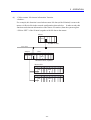
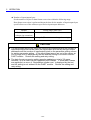
CAUTION
When the red MNS indicator of the D.NET module lights and the LED of the CPU
module shows nothing, the module may be faulty. Replace the D.NET module.
- 125 -