1
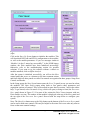
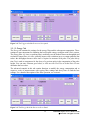
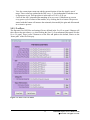
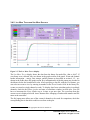
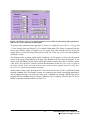
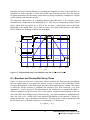
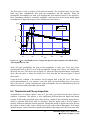
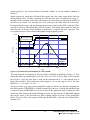
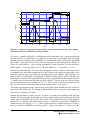
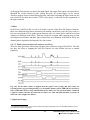
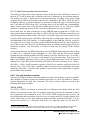
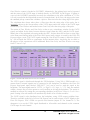
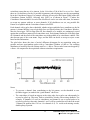
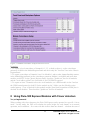
- to specify the number of spills in list mode runs. (In list mode runs, data is accumulated in on-board memory until full, at which time it is read out by the host PC. We call each such readout a spill. The number of spills thus sets the amount of data to collect.) The Start Run and Stop Run buttons from the MAIN control panel are duplicated here as well. Advanced options include settings for synchronizing acquisition between modules, controls to set a timeout for each spill, the number of events per spill, and the spill readout mode, and a button to open a panel with advance record options. Figure 3.4: The Run Control tab of the PARAMETER SETUP Panel. 3.2.2 OSCILLOSCOPE As mentioned in section 2.3, the OSCILLOSCOPE (Figure 2.3) is used to view untriggered traces as they appear at the ADC input and to set all parameters relating to the analog gain and offset. There are controls titled - dT [us], which sets the time between samples in the oscilloscope (there are always 8192 samples in the oscilloscope window), - Offset [%], which sets the target DC-offset level for automatic adjustment, - Gain (V/V), which sets the analog gain before digitization, and - Offset (V), which directly sets the offset voltage. The traces from different channels are not acquired synchronously but one after the other. Therefore even if coincident signals are connected to the Pixie-500 Express inputs, the OSCILLOSCOPE will show unrelated pulses for each channel. There are also buttons and controls to - open a display of the FFT of the input signal, which is useful to diagnose noise sources - open a display of the waveforms of the trigger filter and energy filter computed from the traces in the oscilloscope - repeat the action of the Refresh button until a pulse is captured. This is useful for low count rates. - Fit the pulses in the OSCILLOSCOPE with an exponential decay function to determine the decay time Tau, and to accept the fit value for the module settings. 14 PIXIE-500 Express User’s Manual V3.20 XIA 2014. All rights reserved.