1
Directly Entering a Fax Number
1
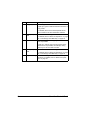
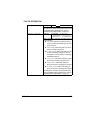
Use the numeric keypad to type in the fax number for the recipient.
"
"
"
The keys that can be used to enter the fax number are: the number
keys (0 through 9), and #.
If the Redial/Pause key is pressed while entering the fax number, a
2.5-second pause is added. A pause appears as P in the message
window.
If the machine is connected to a PBX line and the prefix number (outside line access number) has been specified in the COMM. SETTING, enter “#” to dial the outside line access number automatically.
To erase the entered number, hold down the Back key for about one
second, or press the Stop/Reset key.
Using the Favorite List
If frequently specified speed dial destinations and group dial destinations are
registered in the favorite list, press the Addressbook key, and then press the
+ or , key to quickly select the desired destination.
"
1
2
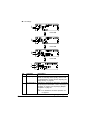
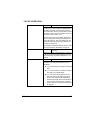
Press the Addressbook key.
Press the + or , key to select the desired destination, and then press the
Select key.
"
3
4
The destination must have been previously registered on the favorite
list. For details, refer to “Registering Destinations in the Favorite List”
on page 72.
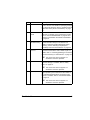
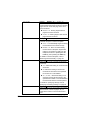
If a destination was incorrectly selected, press the Back key, press the
Addressbook key, and then select the correct destination.
Press the Select key again.
Press the + or , key to select FINISH, and then press the Select key.
The destination is specified.
"
"
42
If a group dial destination was selected, multiple destinations are
specified.
To erase the selected destinations, press the Stop/Reset key.
Specifying a Recipient