1
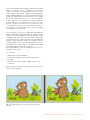
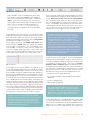
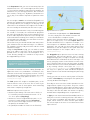
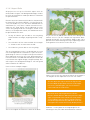
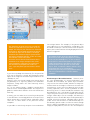
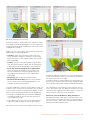
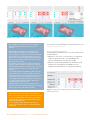
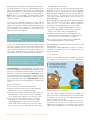
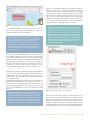
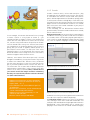
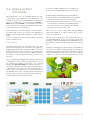
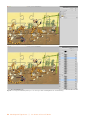
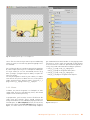
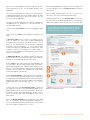
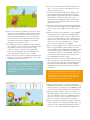
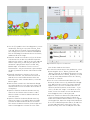
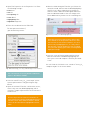
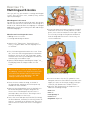
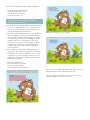
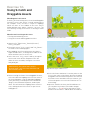
down the Option key and pressing RETURN. If you press the RETURN key on its own, the text box display on the Stage will be updated to reflect what you entered in the box. Unfortunately, it is not possible to format individual parts of a text, i.e. to emphasize certain words in bold or italics. If, for example, you need chapter head ings to have a different appearance, place them in a separate text box. If you have more than one text box in a scene and the text is to be narrated, pay attention to the order: for example, titles should be read first. When deciding on the order of narrations for text boxes, their positions in the Scene Navigator is most important – the textbox at the top of the list will be read first! Create longer text in a simple word-processing programm or by copying the finished text from the book template. the Edit and Preview modes. You have the option of importing and exporting these Highlight selections as text files. There are two more buttons for this in Text Properties – Import Highlight Data and Export Highlight Data. This lets you split the work on scenes – one person can create the animations, while another person places the key frames for Word Highlighting. Word Highlighting in the TigerBooks app currently only works with black as the text color, and the highlights color set to blue. In cases where black text doesn’t work against the background, proceed as follows: }} In a graphics or image-editing program, create a plain rectangle graphic in white, gray or another lighter color lighter than your background. }} Import this asset into your scene and place it behind the text box. As the graphic is single-colored, you can scale it to whatever size you require. }} Set its opacity level so that the text is legible but the background doesn’t show through. If you ever have too little space on the Stage to show text in full, you can choose to make the text box automatically scrollable. Set the size of the text box on the Stage, and if the amount of text exceeds this space, the text in the e-book within this rectangle can be moved up and down without the needing to show scrollbars. Word highlighting only works with text in text boxes and not in graphics. Unfortunately, Word Highlighting cannot be used in scrollable text boxes, where the complete text isn’t always on display. To make it clear to the user that there is a scroll ing text, we recommend placing a small arrow graphic next to the text box, or resizing the text box so that the line at the bottom is cut off. Buttons are essentially invisible rectangles on the Stage that trigger an action when the screen is tapped. But- 3.2.4 Buttons Word Highlighting Word highlighting is the name of a feature that highlights individual words during narration. For this, a text box also needs to have a narration file linked to it, as well as some defined label data. These are key frame positions that control the point at which each word in the text is highlighted as the narration file plays. Label data (also called Highlight Data) can be created either in an external program or in TigerCreate itself: }} Select the text box. }} Link a narration file to it in Text Properties. }} Open the Timeline and activate the Record button (found to the left of the Animation button). }} Move the Slider right along the Timeline or press the Play-Button ▶ to listen to the narration. The audio file is shown in the Timeline in the form of a curve. }} Place your first key frame at frame 1 or 2. After placing your first key frames, you will see single words highlighted in color in the text box. Now move along slowly to make these selections more precise. You can test the Highlight function in both Fig. 65: Too much text? No problem tons can control complex animations or simply just play a sound. Strictly speaking, when you scroll through the pages of an e-book, you are tapping buttons that have been given arrow icons. Buttons, along with text boxes and Bezier curves, belong to the assets tied to a scene. They always sit on the uppermost level. Buttons are created in the Scene Navigator and only appear there and on the Stage, but not 48 Working with TigerCreate | 3.2 Creating Interactivity