1
Implementation and Licensing
2-3
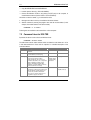
This feature is useful if you want to license your application without any limit on the
number of users per network.
2.3 Automatic Implementation with Espresso/HL-Crypt
You have to enable network access to the Hardlock module during automatic
implementation with HL-Crypt (see the HL-Crypt Manual) or Espresso (see the HLBistro Manual). You can also enable both types of access (local and via a network). In
that case, the program first searches for an appropriate Hardlock module locally and
then on the network.
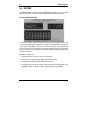
Espresso: Call up Hardlock Settings and select the Search for HL-Server via the
Network option. You can also specify the timeout here. This value defines the period of
time after which an entry in the login table is deleted if the client no longer accesses the
Hardlock module.
HL-Crypt: Use –acc:lr (local or via the network) or –acc:r (exclusively via the
network), e.g.:
[HL-Crypt] myprogram.exe –m 29809 –acc:lr
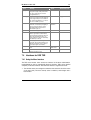
If you are using HL-LiMaS, you must also define during automatic implementation what
are the conditions which have to be met in order for the protected program file to start
(see chapter 2.1).
2.4 Manual Implementation with Hardlock API
Enabling network access
When logging in using HL_LOGIN or HLM_LOGIN, enter I_CARE (local or via the
network) or NET_DEVICE (only network access) as the access mode, e.g.:
hlresult = HL_LOGIN(29809,NET_DEVICE,RefKey,VerKey);
Checking licenses (without HL-LiMaS)
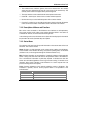
In addition to the login, you can also check how many entries are possible in the table
and how many entries there currently are. You can do this while the program is running.
To do this, use the HL_MAXUSER (possible entries) and HL_USERINF (current
entries) functions. This only makes sense if you are not using HL-LiMaS, because with
LiMaS, licenses are only assigned per slot and not per Hardlock module.
HL-Server