1
Features and Functions of the SleuthGear™ Covert HVR
Factory Default Setting and Menu
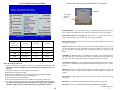
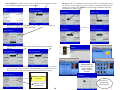
Diagram 1
SD CARD
SLOT IN
BACK
Video Resolution: real-time video 30 FPS at 720x480 and 320x240 this will also
show available recording storage time left on your SD card. See page 10 for details
Frame Rate Settings for recording you may record 1, 2,3,5,15,30 FPS user selectable. Use this setting to gain more memory. See page 10 for details
SD card capacity (Times are
1280 x 720
@ 30fps
720 x 480
@ 30fps
320 X 240
@ 30fps
2GB
1.20 hours
4.00
8.26
4GB
2.39 hours
7.99
16.52
8GB
4.77 hours
15.98
33.04
16GB
9.54 hours
31.97
66.08
32GB
19.08 hours
63.94
132.16
Motion Setting This allows three motion sensitivity settings, High, Medium and Low,
see page 10 for details
Approximate)
Motion Area this allows user to select up 150 motion areas. Example if you have pets
you will only choose the area of the frame that the pet would not be viewed. Say the
pet was waist high you would choose only to detect motion waist up. See page 10 for
details
Scheduling the HVR unit may be programmed to schedule event recording this feature allows the user to select time, day of week to recorder any motion detected or you
may select time, day of week and recorder continually. See page 5 for details
Safety Precautions and Notes
Use only the included power supply to operate your SleuthGear™ system (AC: 120
Volt, 60 Hz ONLY, if outside the US and Canada a special adaptor may be required).
To avoid electrical shock, do not attempt to open the unit.
Opening the unit Voids the warranty
To prevent fire or shock hazard, do not expose this product to rain or moisture.
Do not operate near bath tub, sink, or swimming pool.
Avoid operation in moist environments.
Do not overload electrical outlets or extension cords as this may result in fire
or electric shock, this unit works only on 120 Volt . Power surges or over voltage
(i.e. 220 Volt) will damage the unit and void the warranty. A surge suppressor
and other adaptors may be required and are the responsibility of the user.
14
Continuous recording you may record continuously without using motion this function would use more memory then the motion activation setting please refer to Capacity chart
Playback on your TV by using the RCA output or Windows Media player using the
enclosed card reader or using your SD reader slot on your computer, see page 7 for
deatials
File Search from unit push play back see quick search or list all to find files, see page
7 for details
File Review you will have a folder named HVR in that folder is files by date
File Name is saved as YEAR/MONTH/DAY/HOUR/MINUTE/SECOND
Continued on page 4
3