1
3
Porting the Boot Code
Building the Boot Image
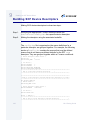
Once you have ported the bootstrap code, written (or copied) the
sources and makefile for your low level serial I/O modules, and
configured your system, you are ready to build the boot image.
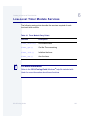
Step 1.
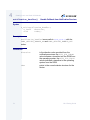
Use the makefile <Target>/ROM/makefile to build your low-level
system modules. This makefile forces a make within each of the
subdirectories included in its TRGTS macro to build the low-level system
modules.
Step 2.
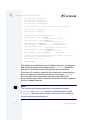
Use the makefile <Target>/BOOTS/SYSTEMS/PORTBOOT/
makefile to build your boot image. This makefile not only creates the
rom file, but also oversees the creation of the boot image called
coreboot or os9kboot.
Note
You may get errors when running make. If these problems are not
related to low-level system modules, you can ignore the errors. This is
because you only need the coreboot file for testing and it is created
before the make exits with errors while trying to build the rom file.
OS-9 Porting Guide
55