1
GIR 253xxxxxxA_D380-380A_Sagemcom_EN.book Page 6 Jeudi, 23. février 2012 10:07 10
Install...
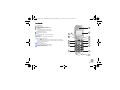
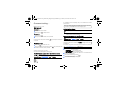
The screen
THE ICONS DISPLAYED
In standby mode or during use, your phone screen informs you of your
phone’s current state through icons, and in particular:
1
2
3
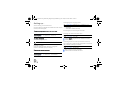
1 Status icons: Indicates your phone’s current state.
Battery charge condition
Speakerphone on
Phone in conversation
mode
Low transmission
Secret mode on
Network
Answering machine on
Alarm on
2 Information area:
• placed on the base: the current time is displayed,
• off-hook: the date and time are displayed.
3 Action icons: displays the following when the phone is:
• placed on the base: browser actions and the confirm key,
• off-hook: menus associated with programmable keys.
6
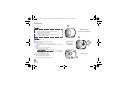
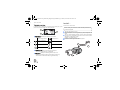
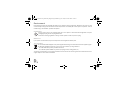
Connect the base
Before making the connections, check the safety instructions at
the start of this guide.
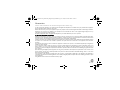
1 Take the base and turn it over.
2 Take the telephone connecting cord, plug the phone jack into its
socket and connect the other end of the cord to the telephone wall
outlet.
3 Take the power adapter assembly. Connect the power adapter
cord jack to the underside of the base and connect the power
adapter to the wall power socket.
D380A - the display turns on.
4 Run the wires through the slots for this purpose
5 Position the base in its final location.
1
2
4
3