1
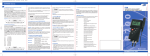
3) Calibration by Comparison to a Standard Thermomter / oP2 Use the up and down keys [] to select oP2. Push [ENTER/MENU] to confirm. On the bottom of the display appears 1 P. For changing between a 1-Point 1 P, 2-Point 2 P or 3-Point 3 P - calibration use the up and down keys []. oP2 1P 2P 3P Example of a 1-Point calibration: Push [ENTER/MENU] to confirm. On the display appears CALC. After the displayed measuring value is stabile push [ENTER/MENU]. On the first display line you can see the “frozen” measurement value. On the second line as a default you can see -100.000. Now you have to Enter (instead of -100.000) the correct measurement value from your reference: By using the up key [] you are able to move the decimal point to setup the number of decimal places. Push [ENTER/MENU] to confirm. Now the algebraic sign is blinking„-„. Use the up key [] to toggle for positive or negative number. Change the number using the up and down keys []. Note: Up key is changing the blinking segment Down key is jumping to the next segment Push [ENTER/MENU] to confirm, revert back to the measuring mode. Important: A break of the physical calibration cannot be done by the [ESC]-button. Display-indication with active calibration code (OP2): The CAL-segment and the small 2 indicates to the user that oP2 is activated. 4) Calibration according to Coefficients of EN60751 (R0,ABC) By using Option 3 you are able to activate coefficients according to EN60751 (R0,A,B,C). The coefficients have to be calculated using special software on a PC (e. g. P7_CALC). Before you are able to activate this option you have to transmit the coefficients from the PC to the instrument. Use the up and down keys [] to select oP3. Push [ENTER/MENU] to confirm. Now the calibration option 3 is activated. Push [ESC] to revert back to the measuring mode. Note: After confirming oP3 by pushing [ENTER/MENU] the function oP3 (calibration by code) is activated, even though you leave the menu by pressing [ESC]. Display-indication with active calibration code (OP3): The CAL-segment and the small 3 indicates to the user that oP3 is activated. 5) oP4 Reserved for future use, not currently implemented Page 8 of 12 TTI-10 Iss.04 – 11/14