1
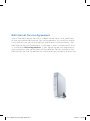
What do the lights on my Home Networking modem mean?
If the Power light is red:
Restart your modem by unplugging the power cord on the rear panel.
If this does not resolve the issue, the modem may be defective.
Please call 310-SURF (310-7873).
If the DSL light is flashing green:
Ensure you have waited at least 2 minutes for the synchronization
process to complete. Check that a filter is used on all devices connected
to your phone line with the exception of your Home Networking modem
– this should not be using a filter.
If the Internet light is red:
Open your Internet browser and you will be prompted to enter your
Bell Internet User ID and Access Password which can be found in
your Welcome Letter. If this does not resolve the issue, there may
be a problem with your account. Please call 310-SURF (310-7873).
35
42107_BBLP8-004 Internet_REF_WHN.indd 35
17/02/09 11:25 AM