1
The WDS Wireless Data System™ page 16
•
Hold Last valid DMX Level: If DMX is lost, the WDS 15A Dimmer will hold the last
valid level for about 5 minutes, and then fade to black.
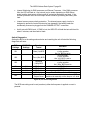
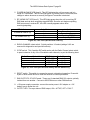
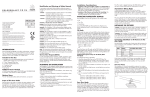
Switch Diagnostics
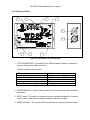
Setting the BCDs to the settings shown below and resetting the unit will start the following
diagnostic self tests:
BCD
Settings
MODE DIP
Settings
Function
Tested
601
Ones (1s) BCD
602
Tens (10s) BCD
603
Hundreds
(100s) BCD
604
605
00
01
10
11
DIP Switch
DIP Switch
DIP Switch
DIP Switch
Manually Set
Output Level
Indication
LED Will flash
= to the number
the “1s” BCD is set to
LED Will flash
= to the number
the “10s” BCD is set to
LED Will flash
= to the number
the “100s” BCD is set to
No LED Flashes
1 LED Flash
2 LED Flashes
Fast Red/Green/Amber Flashes
After reset move the tens and ones BCD
switches to manually set the lamp to a % level
Figure 13, Switch Diagnostics
The BCD test setting must be set (as above) ether before power is applied or reset is
pressed.
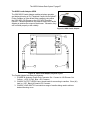
Fuse Replacement
The 15A Dimmer contains a replaceable ATO 15A Fuse. Refer to qualified service personnel
if your unit needs a fuse replacement.
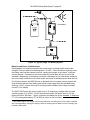
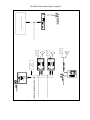
Wire Gauge
When installing this unit in a system, City Theatrical recommends 12 gauge wiring between all
line and load devices to minimize voltage drop, otherwise significant damage could result to
the equipment.
Operating Temperature
Maximum ambient operating temperature is 40°C.
CE Compliance
The #5520 15A Dimmer is available in a CE compliant version. Look for the CE marking to
verify.