1
Chapter 1 — Using the Mobile Printer
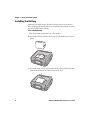
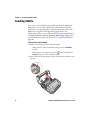
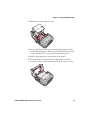
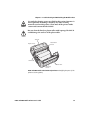
3 Slide the two media supports apart.
4 Insert a roll of media and press the media adjust guide until the
roll is held firmly in place. Make sure you load the media clockwise
so that it pulls off the core from the bottom of the printer.
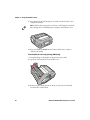
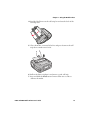
5 Pull out approximately 8 cm (3 inches) of the media.
6 Close the media cover until it latches. The printer emits the
hardware sound to tell you that the media door closed correctly.
PB50 and PB51 Mobile Printer User’s Guide
13