1
SwyxExpress X100X150.book Page 18 Tuesday, January 10, 2012 9:37 AM
18
7
> SwyxExpress Backup and Restore
SwyxExpress Backup and Restore
You can
• back up and restore the delivery state of the complete hard
disk (“Create USB Rescue Media”),
• back up and restore the current state of the SwyxWare
installation (with configuration and user data) (“Backup and
Restore”),
• restore the delivery state of the Windows operating system
(“Restore Factory Default”).
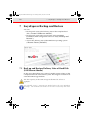
7.1 Back up and Restore Delivery State of Hard Disk
(USB Rescue Media)
In the steps that follow, you create a bootable image (clone) of the
complete hard disk in the delivery state. The image is created on an
external USB storage medium.
The data capacity of the USB storage media must be at least 8
gigabytes.
You schould create a USB Rescue Media before the step "Windows
Strartup". The USB Rescue Media can also be created any time later
on.