1
Walden Turnitin/Academic Integrity Guide
Updated: 12.2010
Step 5 –View Student Submissions and Self-Submit
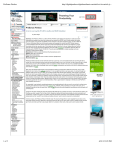
Once you have created your assignment(s) and students begin submitting their papers, click View
within the Turnitin class, to open the assignment inbox and view all submission activity. Here,
you can view originality percentages for papers submitted by students. The Student Turnitin
Quickstart Guide will outline the steps students will need to take to submit their own papers.
Assignment Homepage:
You may also self-submit a student’s paper by clicking on Submit Paper button. On the paper
submission page, select the author’s (student’s) name from the author drop down menu if they
have enrolled in your Turnitin class. If the student is not enrolled in the Turnitin class, please
non-enrolled student drop down menu for enrolled students and enter the paper’s title
(submission title).
6