1
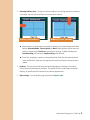
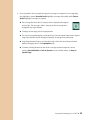
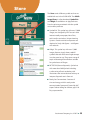
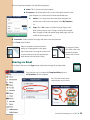
Set Navigation/Interface Auditory Cue: Each navigation button in the app has a default auditory cue. For each button you can select Recorded Audio, Text-To-Speech, or Default. Passcode Required to Exit Player: This feature prevents you from accidentally leaving the Player. A four-number passcode is required when trying to exit the Player. Set Passcode: You can change the Passcode to any four-number combination. Scanning Scanning can be used in the GoTalk NOW Player. Set the options for scanning in the Scanning section of Settings. Scanning Device Type: Attainment Switch app (operating on another iOS device, iPod touch, iPhone, or another iPad) RJ Cooper s Bluetooth Switch interface Use Screen as Switch Auto Scan: When Auto Scan is turned on, the Attainment Switch will act as a single switch. The highlighted section will automatically move from button to button (for rows/ columns, see Grouping, below). When the desired button is highlighted, striking the switch will active that button. When Auto Scan is turned off, the Attainment Switch turns into a double switch and uses step scanning. The left hand switch will move the highlighted selection from button to button (for rows/columns, see Grouping, below), and the right hand switch will activate the button. Auto Scan Speed: Select the amount of time the scan highlight stays on a button in single switch scanning. Grouping: Scanning will highlight an entire row/column at the same time. Once a row/ column is selected, scanning will then highlight each individual button in that row/column. Swap Functionality: When turned off, the left switch advances the scanning, and the right switch selects the button. When turned on, the actions are reversed. Resume From Current Location: The scan will resume from the last Communication Location selected, when OFF, scan will start back at the top of the page. Attainment Switch Settings: Set the images for the switch when using the Attainment Switch app on another iOS device. Attainment Company, Inc. ©2012 27