1
6.9 When the calculation mode is "Linear Technique", "Semi-log Technique", "Total Logarithmic Technique"
or "Ratio Logarithmic Technique" of quantitative detection, select the item of "Use results of this detection",
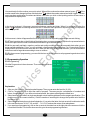
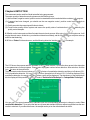
the screen displays the standard curve after detection. For example:
The Y-coordinate may be absorbency (A) or log10 (A) and the abscissa may be concentration(C) or log10(C),
which is decided by the selected calculation mode. The line is decided by the calibrating factor. The letter "r"
denotes the lineal correlating ratio and the pink box denotes the detection value of the standard liquid. You can
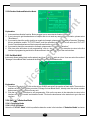
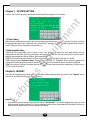
click the icon of "Edit" to change the absorbency of the standard liquids. For example:
Click the corresponding position of the number and input a new absorbency. When the new number has been
entered, click the up or down arrow in the status bar and return to the interface where calibrating curve appears.
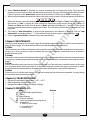
Then calculate the correlating ratio again. If you click "Next", it will calculate the sample's concentration using the
calibrating factor displayed in this interface. The calibrating factor a and b will appear and get changed at the
beginning of detection.
- 13 -