1
6. Installation
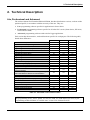
Serial
Interface
Connection Type
Cable Used
9 pins
MasterTool XE and
AL-2004, PX2004
gateways AL-2400/S e QK2400
bridges AL-2401 e QK2401
serial communication module AL-1402
MasterTool XE and communication adapter AL-1413
9 pins
MasterTool XE and MODEM RS-232C
AL-1346
9 pins
AL-1715
25 pins
MasterTool XE and PLCs PO3X42, PO3X45, PO3X47,
Grano.
MasterTool XE and
AL-2004, PX2004
gateways AL-2400/S e QK2400
bridges AL-2401 e QK2401
serial communication module AL-1402
MasterTool and communication adapter AL-1413
25 pins
MasterTool XE and MODEM RS-232C
AL-1345
25 pins
MasterTool XE and PLCs PO3X42, PO3X45, PO3X47,
Grano.
MasterTool XE e PO3X47
AL-1715
9 pins
25 pins
USB
AL-1342 or
AL-1390 *
AL-1349
AL-1343 or
AL-1383 *
AL-1395
AL - 1746
Table 6-1. Connections types
ATTENTION:
The handles AL-1342 and AL-1343 allow the communication with PLCs configured for use of
MODEM "half-duplex“, whereas the handles AL-1383 and AL-1390 do not allow. In other
characteristics, they are functionally identical.
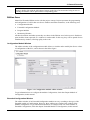
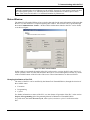
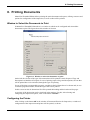
Configuration of the Serial Channel
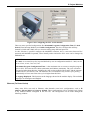
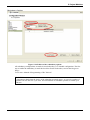
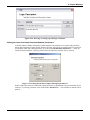
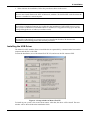
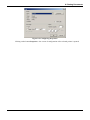
After the installation of MasterTool Extended Edition, during the first execution, the command of
menu “Configurations/Communication…” must be selected, so that the configuration of the serial
canal that will have to be used for the communication with the programmable controller is made. The
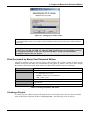
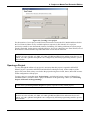
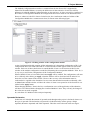
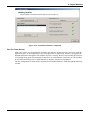
figure illustrates the screen of configuration of the serial channel:
73